Tag: Bangladesh

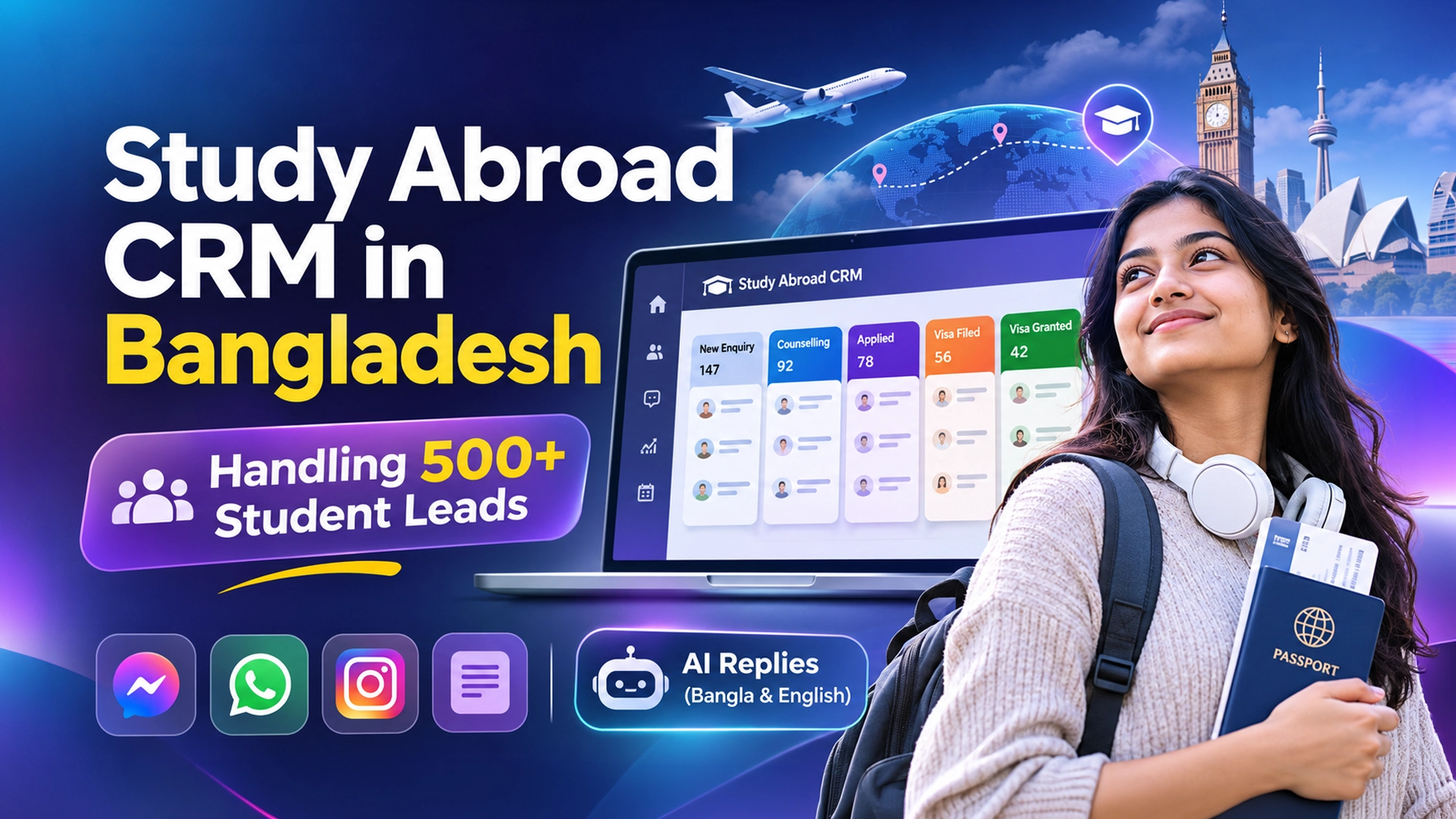
  • Study Abroad CRM in Bangladesh: Handling 500+ Student Leads

    Study Abroad CRM in Bangladesh: Handling 500+ Student Leads

    By Leads Nimble Team (a product of Luminous Labs, Dhaka) · Last updated: 5 November 2026

    A study abroad CRM in Bangladesh is the system an agency uses to capture every student enquiry from Facebook, WhatsApp, seminars and walk-ins, track each student through counselling, offer letter and visa stages, and remind counsellors when to follow up. At 500+ leads a month, it replaces scattered Messenger chats and Excel sheets with one shared pipeline.

    Key takeaways

    • 500 leads a month is roughly 17 new students a day. No counsellor can track that from memory or a personal phone.
    • Define 8–10 clear stages, from “New enquiry” to “Visa granted”, and one exit rule for each.
    • Capture the fields that decide eligibility first: country, intake, last degree, result, IELTS/PTE score and budget.
    • Answer first messages fast. Research in Harvard Business Review links quick first contact to far higher qualification rates.
    • Use AI for first replies and qualification in Bangla and English, but keep visa and fee advice with a human counsellor.

    What is a study abroad CRM?

    A study abroad CRM is customer relationship management software built around the student journey: enquiry, counselling, document collection, university application, offer, tuition deposit, visa and departure. It stores each student’s profile, conversation history and next task in one place.

    A lead is any person who has shown interest, such as a parent who commented “details” on your UK intake ad. A pipeline is the ordered list of stages a lead moves through until they enrol or drop out.

    Many agencies in Dhaka call this a “student lead tracker” or “student management software”. The name matters less than the job: no student should be forgotten between the first message and the visa decision.

    Why do Bangladeshi agencies struggle at 500+ student leads a month?

    Demand is real and growing. UNESCO data reported by the Dhaka Tribune counted 52,799 Bangladeshi students abroad in 2023, up from 24,112 in 2013. The same report cites Bangladesh Bank data showing students spent about USD 667.77 million abroad in FY25.

    The United States alone hosted 20,156 Bangladeshi students in 2024/25, according to the Open Doors 2025 fact sheet. The UK, Canada, Malaysia and Germany are other major destinations.

    More demand means more enquiries, but also more noise. A typical agency gets leads from many places at once:

    • Facebook and Instagram ads (Lead Ads forms and Messenger)
    • WhatsApp messages from ads, posters and referrals
    • Website chat and contact forms
    • Education expos, university spot-assessment days and seminars
    • Walk-ins at the office and phone calls

    When each counsellor keeps their own WhatsApp and their own Excel file, three problems appear. Leads get answered twice or not at all. Nobody knows which ad produced enrolled students. And when a counsellor leaves, their students leave with their phone.

    What stages should a student lead pipeline have?

    Keep stages few and clear. Each stage needs an exit rule so two counsellors would put the same student in the same column. Here is a pipeline that works for most Bangladeshi agencies.

    StageWhat it meansExit rule (move on when…)Typical owner
    1. New enquiryFirst message, form or walk-inBasic details collectedAI assistant or front desk
    2. QualifiedMeets basic academic and budget fitCounselling session bookedJunior counsellor
    3. Counselling doneOptions discussed with student/parentStudent agrees to applySenior counsellor
    4. Documents collectingTranscripts, passport, SOP, test scoreFull file readyDocumentation team
    5. AppliedApplications submittedOffer receivedApplication officer
    6. Offer receivedConditional or unconditional offerDeposit paidSenior counsellor
    7. Visa filedVisa application submittedDecision receivedVisa officer
    8. Visa granted / EnrolledStudent is goingPre-departure doneCounsellor
    Lost / Next intakeDropped or postponedRe-contact date setAnyone

    The “Next intake” bucket matters. A student who is not ready for January may be ready for September. Without a re-contact date, that lead is gone.

    Which student fields should your CRM capture?

    Collect the fields that decide eligibility first. Everything else can wait until counselling.

    • Contact: name, phone (with +880), WhatsApp number, parent’s number
    • Target: preferred country, intake (e.g. September 2027), level (UG, PG, diploma)
    • Academic: last degree, result (GPA/CGPA), passing year, gap years
    • Language test: IELTS, PTE, Duolingo or “not yet”, with score
    • Budget: rough tuition and living budget in BDT
    • Source: which ad, page, expo or referrer brought them
    • Owner and next task: assigned counsellor and follow-up date

    If you want a free starting point, our student lead tracker template uses these same columns.

    How to set up a study abroad CRM in 7 steps

    1. List every lead source. Write down each Facebook page, WhatsApp number, form, website and event you use. Each becomes a channel or a source tag.
    2. Connect the channels to one inbox. Bring Messenger, Instagram, WhatsApp and website chat into a shared inbox so any counsellor can see the full conversation.
    3. Connect Facebook Lead Ads. Send form leads straight into the pipeline instead of downloading spreadsheets. See our guide on sending Facebook Lead Ads to your CRM.
    4. Create the stages above. Add exit rules in the stage description so new staff follow them.
    5. Set routing rules. For example, UK leads to the UK desk, Malaysia leads to another counsellor, or round-robin across the team.
    6. Write your knowledge base. Add intakes, entry requirements you work with, service charges and office hours. An AI assistant can only answer well from facts you give it.
    7. Define follow-up tasks. Every stage change should create the next task with a date. No task means no follow-up.

    How fast should counsellors reply to a new student lead?

    As fast as possible, ideally within minutes. In a widely cited Harvard Business Review study, firms that contacted leads within an hour were nearly seven times as likely to qualify them as firms that waited longer.

    That research was on US companies, not Bangladeshi agencies. Still, the logic holds in Dhaka. A student comparing three agencies on Messenger usually books with whoever replies clearly first. We break down that cost in what slow replies cost in course enrolment.

    Speed is hard at night and during Friday or exam-season rushes. This is where an AI first reply helps. It can greet the student, ask the qualifying questions and book a counselling slot, then hand over to a person.

    A simple follow-up cadence

    This is a suggested schedule, not a rule. Adjust it to your intakes.

    WhenActionChannel
    Within minutesGreeting, 4–5 qualifying questionsSame channel the lead used
    Same dayCounsellor call or voice notePhone or WhatsApp
    Day 2Send country/university options listWhatsApp or Messenger
    Day 5Reminder to book counselling or seminarWhatsApp
    Day 14Check-in; ask about IELTS dateCall
    Before next intakeRe-contact “next intake” leadsBroadcast plus personal call

    Can AI answer student enquiries in Bangla and English?

    Yes, for first-level questions. An AI assistant trained on your own knowledge base can explain which countries you cover, your intake months, your service charge and office address. It can reply in Bangla, English or Banglish, matching how the student writes.

    It can also qualify. For example, it can ask “Which country are you interested in?”, “What was your HSC or bachelor’s result?” and “Do you have an IELTS score yet?” Then it fills those fields in the CRM.

    Keep clear limits, though:

    • Visa chances, refusals and legal questions should go to a trained counsellor.
    • Scholarship amounts and university fees change. The AI should only quote figures you keep updated.
    • Set a handoff rule: any message mentioning visa refusal, payment problems or complaints goes to a human.

    Which study abroad CRM is best for agencies in Bangladesh?

    There is no single best tool. It depends on lead volume, budget and how much of your intake comes through chat. Here is a fair comparison of common options.

    OptionGood forLimits for BD agencies
    Google Sheets / ExcelFree; fine under ~100 leads a monthNo inbox, no reminders, easy to overwrite; no chat history
    HubSpot / Zoho CRM free plansStructured contacts and dealsGeneral sales tools; Messenger/WhatsApp inbox and Bangla AI usually need paid add-ons or setup
    Specialist education-agent CRMs (e.g. AgentCIS, Meritto)Application and university-partner trackingOften priced in foreign currency; check chat-channel and Bangla support
    Leads NimbleChat-heavy agencies: Messenger, WhatsApp, Instagram, website chat and Lead Ads in one pipelineFocused on enquiry-to-enrolment sales; deep university application portals sit outside it

    If most of your students first message you on Facebook or WhatsApp, a chat-first CRM saves the most time. If most of your work is managing applications to hundreds of partner universities, a specialist agent CRM may suit the back office better. Some agencies use both.

    How Leads Nimble fits a study abroad agency

    Leads Nimble is an AI sales CRM with a unified inbox, built by Luminous Labs in Mirpur DOHS, Dhaka. For an agency, the main pieces are:

    • One inbox for WhatsApp (official API and unofficial), Facebook Messenger, Instagram, website chat and Telegram, plus Facebook Lead Ads and forms.
    • AI assistant that replies 24/7 in Bangla and English, trained on your intakes, services and FAQs, with human handoff.
    • Visual pipeline with the stages you define, lead history, tasks and follow-up reminders.
    • Ad attribution showing which campaign produced each lead, so you can stop paying for ads that bring the wrong students.
    • Team routing with roles and permissions, so country desks only see their students.
    • Meetings and calendar booking synced with Google, Zoom or Calendly for counselling sessions.
    • Broadcasts and segments to re-contact “next intake” students.

    See the full list on the features page or browse other industry setups.

    What mistakes should agencies avoid?

    • Too many stages. Fifteen columns means nobody updates them. Start with eight.
    • Personal phones as the CRM. Business conversations should live in a shared, company-owned inbox.
    • No source tracking. Without it, you cannot tell which ad brings enrolled students versus time-wasters.
    • Ignoring “next intake” leads. They are your cheapest future enrolments.
    • Collecting documents carelessly. Passports and transcripts are personal data. Bangladesh’s Personal Data Protection Ordinance 2025 centres on informed, explicit consent. Tell students how you store and use their files.

    Start small, then scale

    You do not need to move everything in one weekend. Connect one Facebook page, set up your stages and let the AI handle first replies for a week. Then add WhatsApp and Lead Ads.

    Leads Nimble has a free forever plan with one user and one Messenger page, no credit card needed. Start on the free plan or book a demo to see an agency pipeline set up live.

    Frequently asked questions

    What is the best CRM for a study abroad agency in Bangladesh?

    The best CRM is the one your counsellors actually use every day. For agencies whose students mostly message on Facebook and WhatsApp, a chat-first CRM with a shared inbox, Bangla replies and follow-up reminders fits best. Agencies managing many university applications may add a specialist agent CRM for the back office. Compare free plans before paying.

    Can I use Google Sheets as a study abroad CRM?

    Yes, for a small agency. A shared Google Sheet with columns for country, intake, result, IELTS score, stage and next follow-up date works under about 100 leads a month. Beyond that, missing reminders, overwritten cells and chats stuck in personal phones become costly. Move to a CRM when follow-ups start slipping.

    How many stages should a student pipeline have?

    Most agencies do well with eight to ten stages: new enquiry, qualified, counselling done, documents collecting, applied, offer received, visa filed, visa granted, plus lost or next intake. Each stage needs one clear exit rule. Fewer, well-defined stages are easier to keep updated than a long, detailed list.

    Can an AI chatbot give visa advice to students?

    It should not. An AI assistant is good for greetings, intake dates, service charges, office hours and qualifying questions. Visa chances, refusal cases and legal requirements change and carry risk, so route those questions to a trained counsellor. Set handoff rules for words like “visa refused”, “refund” or “complaint”.

    How do I track which Facebook ad brings enrolled students?

    Tag every lead with its source when it arrives. A CRM with ad attribution records the campaign or ad behind each lead automatically. Later, when a student reaches “Visa granted”, you can count enrolments per ad and move budget to the campaigns that produce real students, not just cheap enquiries.

    Is there a free study abroad CRM?

    Yes. Google Sheets is free, HubSpot and Zoho offer free CRM tiers, and Leads Nimble has a free forever plan with one user, one Messenger page and 500 AI credits a month. Free plans suit a single counsellor. Larger teams usually need paid seats and more channels.
  • Real Estate CRM in Bangladesh: Facebook Ad to Flat Booking

    Real Estate CRM in Bangladesh: Facebook Ad to Flat Booking

    By Leads Nimble Team (a product of Luminous Labs, Dhaka) · Last updated: 5 November 2026

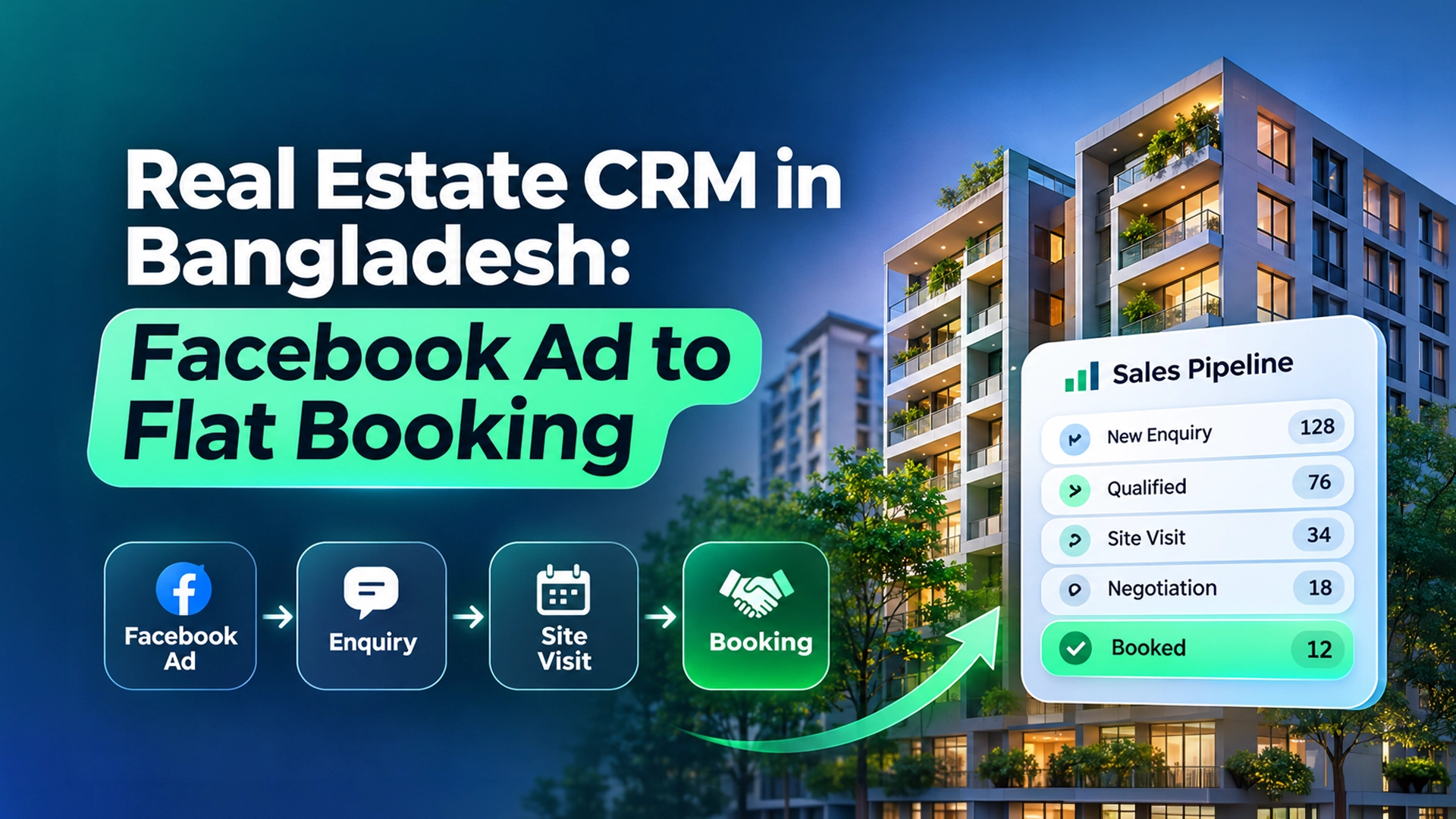
    A real estate CRM in Bangladesh tracks every flat or plot buyer from the first Facebook ad enquiry to the site visit, negotiation and booking money. It brings Messenger, WhatsApp and Lead Ads leads into one pipeline. It records budget, area and loan needs, and reminds sales executives to follow up until the buyer books or says no.

    Key takeaways

    • Flat sales in Bangladesh have slowed sharply, so each serious buyer enquiry is worth more than before.
    • The core journey is ad → enquiry → qualification → site visit → negotiation → booking → agreement.
    • Qualify early on budget, preferred area, flat size, handover timeline and home-loan need.
    • The site visit is the key conversion step. Confirm it and remind the buyer on WhatsApp the day before.
    • Track which ad and which project produced each booking, not just each lead.

    What is a real estate CRM?

    A real estate CRM is software that stores every property buyer, their requirements, their conversations and their next step with your sales team. It shows all buyers on a visual pipeline, so a sales manager can see who is waiting for a site visit and who has gone silent.

    A qualified lead in real estate is a buyer whose budget, location and timeline match a project you are actually selling. A site visit is a scheduled, in-person viewing of a project or sample flat.

    Why do Bangladeshi developers need a CRM in 2026?

    Because the market is harder. The Business Standard reported in July 2026 that 41,804 apartment transfer deeds were registered nationwide in January–June 2026. That was down 25.35% from the same period of 2024, based on Directorate of Registration data.

    Finance is also tight. The Daily Star reported housing-loan rates peaked at 17% in January 2024 and stayed high into 2026, pushing many salaried buyers to wait.

    When fewer people buy, you cannot afford to lose the ones who enquire. Yet most developer teams still run leads like this:

    • A Facebook ad brings hundreds of “price?” messages to the page inbox.
    • Sales executives copy numbers into personal WhatsApp and Excel.
    • Site visits are fixed by phone and forgotten by both sides.
    • Nobody knows which ad produced the buyers who actually paid booking money.

    We covered the chat side of this problem in real estate leads on WhatsApp and Messenger. This guide covers the full pipeline.

    What does the journey from Facebook ad to flat booking look like?

    Here is a pipeline most Dhaka and Chattogram developers can use. Rename stages to match your sales language.

    StageWhat happensMove on when…Automation idea
    1. New enquiryLead from ad form, Messenger, WhatsApp, website or hotlineContact number confirmedInstant AI reply with project brochure and 3 questions
    2. QualifiedBudget, area, size, timeline and loan need knownFits a live projectRoute to the project’s sales executive
    3. Site visit scheduledDate and time agreedBuyer attendsCalendar booking plus reminder the day before
    4. Site visit doneBuyer has seen the flat or sample unitPrice discussion startsTask: call within 24 hours
    5. NegotiationFloor, facing, parking, payment schedule discussedBooking money agreedSend payment schedule template
    6. BookedBooking money receivedAgreement signedInvoice with pay link; document checklist
    7. Agreement / Closed wonSale agreement signedHandover track beginsMove to installment follow-up list
    Nurture / LostNot ready, or bought elsewhereRe-contact date setBroadcast on new launches or price offers

    Which questions qualify a property buyer?

    Ask early, but not all at once. Two or three questions per message work better in chat.

    1. Which area are you looking in? (e.g. Bashundhara, Mirpur, Uttara, Mohammadpur)
    2. What flat size do you need? (e.g. 1,200–1,500 sq ft, 3 beds)
    3. What is your total budget range in BDT?
    4. Ready flat or under construction? When do you need handover?
    5. Will you use a home loan, or pay from own funds?
    6. Are you buying to live or to invest? Are you a non-resident Bangladeshi?

    The NRB question matters. Expatriate buyers often enquire late at night Bangladesh time, from the Gulf, Europe or North America. They also prefer WhatsApp and video calls over office visits.

    How to set up a real estate CRM in 8 steps

    1. Connect your lead sources. Add every Facebook page, WhatsApp number, Instagram account and website chat to one shared inbox.
    2. Send Lead Ads into the pipeline. Stop downloading CSV files from Ads Manager. Our tutorial on sending Facebook Lead Ads to a CRM covers the options.
    3. Create one pipeline per project, or one shared pipeline with project tags. Smaller developers usually start with one pipeline.
    4. Add custom fields. Budget, area, size, ready/under-construction, loan, NRB, and source ad.
    5. Build the knowledge base. Project addresses, sizes, starting prices you are happy to share, handover dates, amenities and office hours.
    6. Set routing. Send each project’s leads to its sales executive, or spread them evenly by round-robin.
    7. Turn on site-visit booking. Offer fixed slots, and send a WhatsApp reminder the day before and the morning of the visit.
    8. Review weekly. Look at leads per ad, site visits per ad and bookings per ad. Cut the ads that bring chat but no visits.

    How can AI help without hurting the sale?

    Property is a high-value, slow decision. AI should speed up the boring parts and leave the trust-building to people.

    Good jobs for an AI assistant:

    • Reply instantly, day and night, in Bangla or English.
    • Share project brochures, location pins and basic specs.
    • Ask qualifying questions and fill the CRM fields.
    • Offer site-visit slots and book them.
    • Answer repeat questions like parking, lift, generator and handover date.

    Jobs to keep with humans:

    • Final price, discounts and payment schedule negotiation.
    • Legal and land-title questions, such as mutation and registration costs.
    • Complaints and existing-buyer issues.

    Set handoff triggers for words like “discount”, “final price”, “registration” and “complaint”.

    Which real estate CRM is best in Bangladesh?

    Compare honestly. Each option has a place.

    OptionStrengthsWatch-outs for BD developers
    Excel / Google SheetsFree and familiarNo chat history, no reminders, no ad attribution, easy to lose data
    HubSpot / Zoho CRMMature contact and deal tracking; free tiersMessenger and WhatsApp inbox, Bangla AI and BDT billing are not their focus
    SalesforceVery powerful, large-enterprise reportingCostly; usually needs a consultant to set up
    Local property ERP or custom softwareInstallments, inventory and accountsOften weak on chat, ads and lead response speed
    Leads NimbleChat-first: Messenger, WhatsApp, Instagram, website chat and Lead Ads in one pipeline, with AI replies in Bangla and EnglishBuilt for the sales side; keep your accounts or installment ERP for post-sale finance

    Many developers end up with two systems: a chat-first CRM for sales, and an ERP or accounts system for installments after booking. That is fine, as long as each buyer exists in one sales pipeline.

    How Leads Nimble supports the ad-to-booking journey

    Leads Nimble is an AI sales CRM and unified inbox from Luminous Labs, Dhaka. For real estate teams it offers:

    • Unified inbox for WhatsApp (official API and unofficial), Messenger, Instagram, website chat and Telegram, plus Facebook Lead Ads and lead forms.
    • AI assistant trained on your projects, answering 24/7 in Bangla and English, with human handoff.
    • Campaign and ad attribution so you see which ad produced each lead.
    • Meetings and calendar booking with Google, Zoom and Calendly sync, useful for site visits and NRB video calls.
    • Tasks, follow-up reminders and segments for long nurture cycles.
    • Broadcasts for new launches, plus invoicing with pay links for booking money.
    • Team routing, roles and permissions, and a mobile app for executives at the site.

    See the full feature list or other industry setups.

    What mistakes do developers make with property leads?

    • Replying with “inbox e price dewa hoyeche” and nothing else. Give the price range and ask the next question.
    • Hiding the price completely. Buyers move to the next page. Share a starting price or range if your policy allows.
    • Judging ads by cost per lead. A cheap lead that never visits is expensive. Judge ads by cost per site visit and per booking.
    • No reminder before site visits. A short WhatsApp reminder costs little and saves wasted trips.
    • Dropping “not now” buyers. With high loan rates, many buyers are waiting, not gone. Keep them in a nurture segment.

    Get started

    Start with one project and one Facebook page. Let the AI reply and book site visits for two weeks, then compare visits against your old process.

    Leads Nimble’s free forever plan includes one user and one Messenger page, with no credit card. See plans and start free, or book a demo to map your site-visit flow with our team.

    Frequently asked questions

    What is the best real estate CRM in Bangladesh?

    The best fit depends on where your buyers come from. If most enquiries arrive through Facebook ads, Messenger and WhatsApp, choose a chat-first CRM with a shared inbox, Bangla replies, site-visit booking and ad attribution. If your main need is installment accounting, pair the CRM with a property ERP. Test free plans before committing.

    How do I track which Facebook ad produced a flat booking?

    Capture the ad or campaign on every lead when it arrives, then keep that tag as the lead moves through site visit and booking. A CRM with ad attribution does this automatically. Each month, count bookings per ad, not just leads per ad, and shift budget toward ads that create site visits and bookings.

    Should a developer share flat prices in Messenger?

    Sharing a starting price or range usually keeps buyers talking, while hiding it often sends them to competitors. Keep exact final prices, discounts and payment schedules for a sales executive. An AI assistant can share approved price ranges from your knowledge base and then ask qualifying questions.

    How can I reduce site visit no-shows?

    Confirm the visit in writing with date, time, address and a map pin. Send a WhatsApp reminder the day before and again on the morning of the visit. Name the executive who will meet them. Record attendance in the CRM so you can follow up quickly with anyone who missed.

    Can a CRM handle NRB buyers living abroad?

    Yes. Tag NRB leads, note their country and time zone, and offer video-call meetings instead of site visits. AI replies help because NRB buyers often message late at night Bangladesh time. Keep document and payment discussions with a named executive to build trust across distance.

    Is there a free real estate CRM?

    Google Sheets, HubSpot and Zoho have free options. Leads Nimble also has a free forever plan with one user, one Messenger page and 500 AI credits a month. Free plans suit a single salesperson testing the process. Teams with several projects usually need paid seats and channels.

  • WhatsApp Appointment Booking for Clinics in Bangladesh

    WhatsApp Appointment Booking for Clinics in Bangladesh

    By Leads Nimble Team (a product of Luminous Labs, Dhaka) · Last updated: 5 November 2026

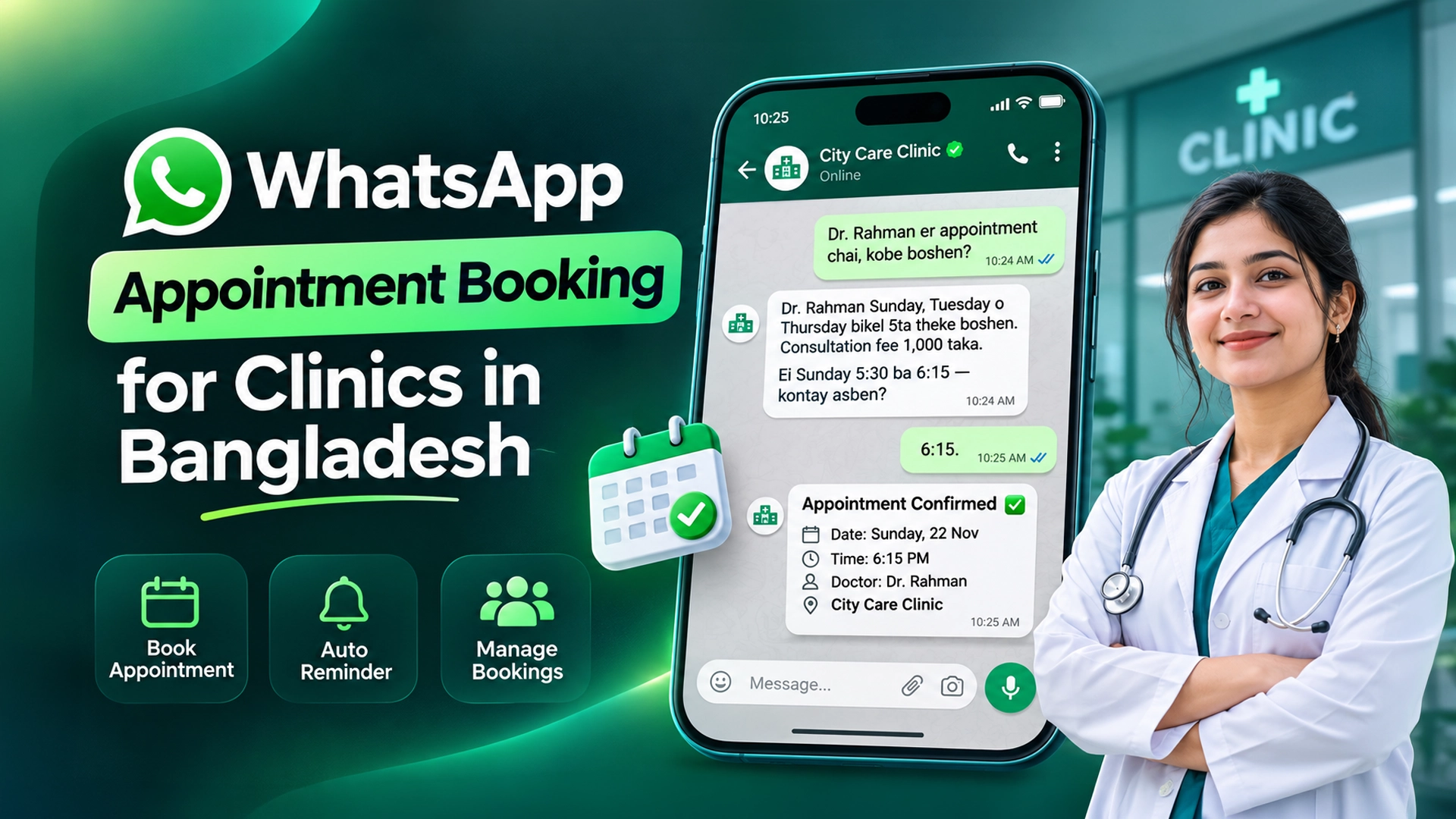
    The simplest appointment booking software in Bangladesh for clinics and consultants is a WhatsApp-based flow: the patient or client messages, gets an instant reply, picks a slot, and receives a confirmation and reminder. You can run it manually on the free WhatsApp Business app, with a booking link, or fully automated with the WhatsApp Business API and a CRM.

    Key takeaways

    • Most patients and clients in Bangladesh already prefer to message on WhatsApp or Messenger before they visit.
    • Three levels exist: free WhatsApp Business app, a booking-link tool, or API automation with a CRM.
    • Replies inside the 24-hour customer service window are free on the WhatsApp Business Platform; reminder templates outside it are charged.
    • Never let a bot give diagnosis or treatment advice. Route clinical questions to staff.
    • Health data is sensitive. Collect only what you need for the booking, with clear consent.

    What is WhatsApp appointment booking?

    WhatsApp appointment booking is a way of scheduling visits where the full exchange — enquiry, slot choice, confirmation and reminder — happens inside a WhatsApp chat. It replaces phone calls that ring out and paper registers at the front desk.

    An appointment slot is a fixed time a doctor, therapist or consultant is available. A no-show is a booked person who does not arrive and does not cancel.

    This guide suits diagnostic centres, dental and skin clinics, physiotherapy, psychologists, lawyers, tax consultants, salons and coaching centres. We wrote separately about handling patient inquiries on WhatsApp and Messenger; this post is about the booking itself.

    Why do clinics in Bangladesh move booking to WhatsApp?

    Phone booking breaks at busy hours. The reception line is engaged, and the caller tries the next clinic. Messages, by contrast, can wait in a queue and be answered in order.

    Chat is also where people already are. DataReportal’s Digital 2026 Bangladesh report counted 82.8 million internet users at the end of 2025. Many patients find a clinic on Facebook, then switch to WhatsApp to ask about the doctor’s schedule and fee.

    Common questions before booking are predictable:

    • Which days is Dr. X available? What time does the chamber start?
    • What is the consultation fee? Is there a follow-up fee?
    • Do I need to bring old reports or fast before a test?
    • Where exactly is the chamber, and is there parking?
    • Can I pay the booking fee by bKash or Nagad?

    Because the questions repeat, they are easy to answer with templates or an AI assistant trained on your own information.

    What are the options for WhatsApp appointment booking?

    OptionHow it worksCostBest for
    WhatsApp Business app (manual)Greeting and away messages, quick replies, labels like “Booked” and “Paid”; staff confirm slots by handFree appOne doctor or consultant, low volume
    Booking link (e.g. Calendly, Google Calendar appointment pages)Send a link in chat; client picks a slot on a web pageFree tiers exist; paid plans for teamsConsultants with fixed hours
    WhatsApp Business API + FlowsIn-chat booking forms built by a developerPer-message charges for templates plus developer timeLarge hospital groups with tech teams
    CRM with unified inbox and AI (e.g. Leads Nimble)AI answers, books slots synced to your calendar, sends reminders, hands off to staffFree plan to start; paid plans by seats and channelsClinics and consultancies with several staff or channels

    The free WhatsApp Business app already includes greeting messages, away messages, quick replies, labels and a catalog. For a single chamber, that may be enough.

    Meta also publishes a guide to building appointment booking with WhatsApp Flows. It needs the Cloud API, business verification and a developer to host an endpoint, so it suits larger organisations.

    How much does WhatsApp booking cost in Bangladesh?

    The WhatsApp Business app is free. The WhatsApp Business Platform (API) uses per-message pricing since 1 July 2025, according to Meta’s pricing documentation.

    • Free: normal replies inside the 24-hour customer service window that opens when a patient messages you.
    • Free: utility templates (like a booking confirmation) sent inside that open window.
    • Charged: template messages sent outside the window, such as a reminder two days later, and all marketing templates.

    Rates vary by category and country and can change each quarter. We break down Bangladesh rates in our WhatsApp Business API price guide. Your provider or CRM may also charge a platform fee.

    A practical tip: confirm the booking while the patient is still chatting. That confirmation is inside the free window. Only the later reminder costs money.

    How to set up WhatsApp appointment booking in 7 steps

    1. Write down your schedule. List each doctor or consultant, chamber days, start and end times, and slot length (for example, 15 minutes).
    2. Write the knowledge base. Fees, follow-up rules, address with map link, parking, what to bring, test preparation, and payment methods.
    3. Connect your channels. Add WhatsApp, Facebook Messenger and website chat to one inbox so no request is missed.
    4. Connect a calendar. Link Google Calendar, Zoom or Calendly so booked slots block out automatically and double bookings stop.
    5. Build the booking flow. Ask: which doctor or service, preferred day, patient name, age and phone. Offer two or three free slots. Confirm in one message.
    6. Set reminders and handoff. Send a reminder the day before. Route any clinical question, complaint or emergency word to a staff member.
    7. Track outcomes. Mark each booking as attended, no-show or cancelled. Review weekly which days and channels have the most no-shows.

    Sample booking conversation (Bangla)

    Patient: “Dr. Rahman er appointment chai, kobe boshen?”

    Assistant: “Dr. Rahman Sunday, Tuesday o Thursday bikel 5ta theke boshen. Consultation fee 1,000 taka. Ei Sunday 5:30 ba 6:15 — kontay asben?”

    Patient: “6:15.”

    Assistant: “Rogi’r naam o boyosh bolben? Confirm korle ekta message pathabo, ar ager din reminder.”

    The names, days and fee above are an example only. Your assistant should use your real schedule and prices.

    What should a booking bot never do?

    Healthcare needs firm limits. An AI assistant or template should:

    • Never diagnose or suggest medicines or doses.
    • Never judge urgency. For words like “chest pain”, “bleeding” or “unconscious”, reply with your emergency number and alert staff immediately.
    • Never invent schedules or fees. It should only use what is in your knowledge base.
    • Always offer a human. “Talk to reception” should be one tap or one word away.

    How should clinics handle patient data?

    Collect the minimum: name, age, phone and the service booked. Ask for reports or symptoms only when staff need them.

    Bangladesh’s Personal Data Protection Ordinance 2025 treats health data as sensitive and centres on explicit, informed consent, as summarised by The Daily Star. Tell patients why you collect their details and who sees them. Limit inbox access by role. Take legal advice for your specific case.

    How Leads Nimble handles clinic and consultant bookings

    Leads Nimble is an AI sales CRM and unified inbox built in Dhaka by Luminous Labs. For appointment-based businesses, the relevant parts are:

    • Unified inbox for WhatsApp (official API and unofficial), Messenger, Instagram, website chat and Telegram.
    • AI assistant that answers 24/7 in Bangla and English from your own knowledge base, with human handoff.
    • Meetings and calendar booking with Google, Zoom and Calendly sync.
    • Follow-up reminders, tasks and message templates for confirmations and reminders.
    • Invoicing with pay links for booking fees or advance payments.
    • Roles and permissions, so each doctor’s assistant sees only their own patients, plus a mobile app.
    • Support tickets for follow-up questions after a visit.

    See everything on the features page.

    Which appointment booking software is best in Bangladesh?

    Match the tool to your size:

    • One chamber, under 20 bookings a day: WhatsApp Business app plus a paper or Google Calendar register.
    • Consultant with fixed hours: a booking link inside WhatsApp.
    • Clinic with several doctors and channels: a CRM with unified inbox, AI replies, calendar sync and reminders.
    • Hospital group with IT staff: a custom WhatsApp Flows build, often alongside a hospital system.

    Try it on your chamber

    Start with one doctor’s schedule. Let the assistant answer fee and timing questions for a week, then switch on booking.

    Leads Nimble has a free forever plan with one user and one Messenger page, no credit card needed. Start free or book a demo to see a WhatsApp booking flow set up for your clinic.

    Frequently asked questions

    What is the best appointment booking software in Bangladesh?

    It depends on size. A single doctor can manage with the free WhatsApp Business app and a calendar. Consultants with fixed hours do well with a booking link. Clinics with several doctors and channels benefit from a CRM that combines a unified inbox, AI replies in Bangla, calendar sync and reminders.

    Is WhatsApp appointment booking free?

    The WhatsApp Business app is free. On the WhatsApp Business Platform, replies and utility templates inside the 24-hour customer service window are free under Meta’s per-message pricing. Template messages sent outside that window, such as later reminders, are charged per message. Providers and CRMs may add their own fees.

    Can patients book a doctor appointment on WhatsApp without an app?

    Yes. Patients only need regular WhatsApp. They message your clinic number, answer a few questions and choose a slot. The clinic side uses either the WhatsApp Business app, a booking link, or an API-connected CRM that confirms and reminds automatically.

    How do I reduce no-shows at my clinic?

    Confirm every booking in writing with date, time, doctor and address. Send a reminder the day before and allow easy rescheduling by reply. Taking a small advance through bKash, Nagad or a pay link can also help. Track no-shows by day and channel to spot patterns.

    Can an AI chatbot answer patient questions safely?

    Yes, for administrative questions like schedules, fees, location and preparation instructions taken from your own knowledge base. It should never diagnose, suggest medicine or assess urgency. Set emergency keywords that trigger your hotline number and an instant alert to staff, and always offer a human option.

    Can consultants like lawyers or tax advisers use WhatsApp booking?

    Yes. The same flow works for any appointment-based service: share availability, collect name and topic, confirm a slot, and send a reminder. Calendar sync with Google, Zoom or Calendly lets you offer both office meetings and video calls from the same chat.

  • WhatsApp Business API Price in Bangladesh 2026: BDT Breakdown

    WhatsApp Business API Price in Bangladesh 2026: BDT Breakdown

    Last updated: 5 November 2026 · By Leads Nimble Team (Luminous Labs, Dhaka)

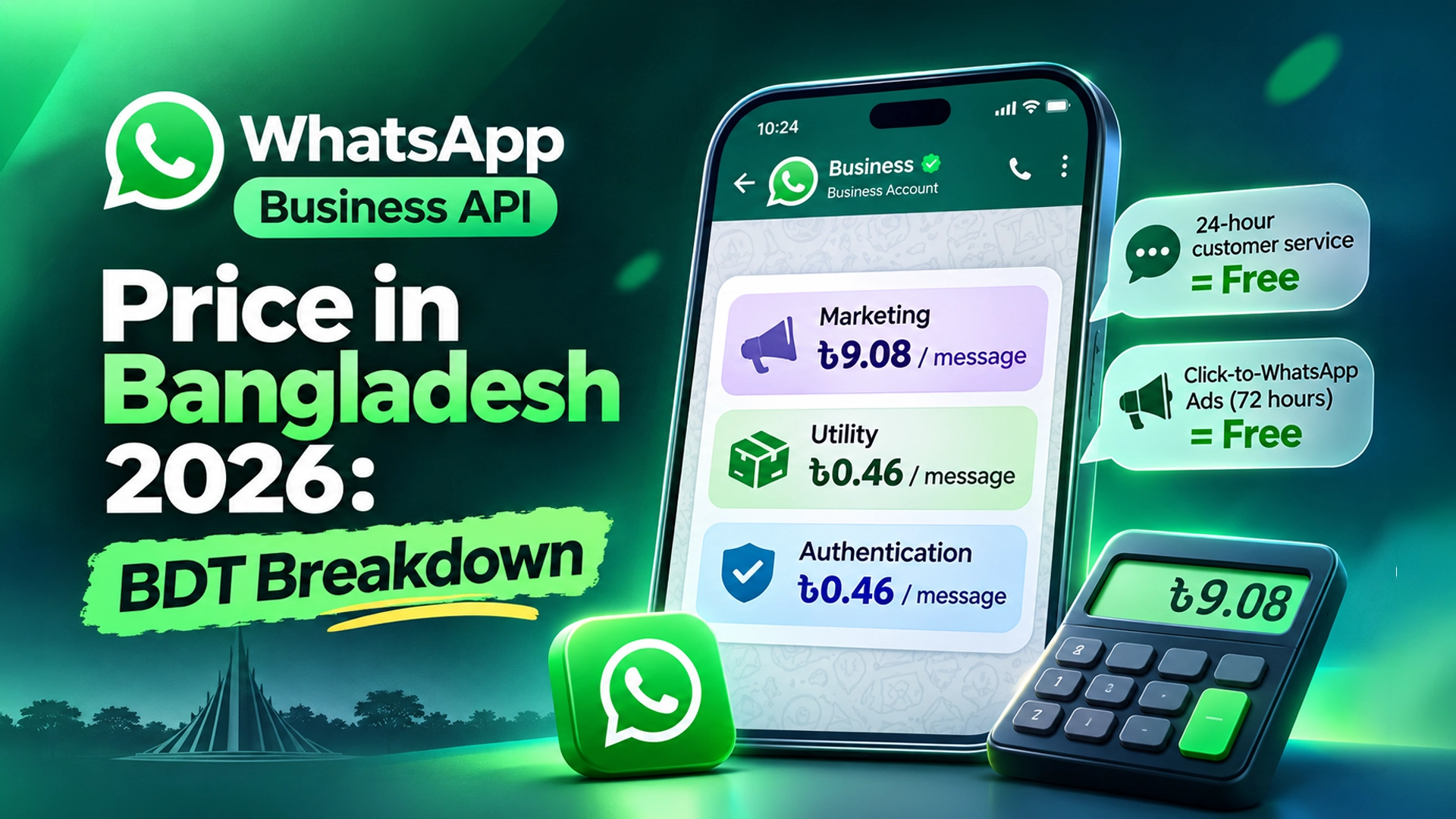
    The WhatsApp Business API price in Bangladesh, from 1 October 2026, is set per delivered template message. Meta’s list rates are $0.0732 (about ৳9.08) per marketing message and $0.0037 (about ৳0.46) per utility or authentication message. Replies inside the 24-hour customer service window are free. Your provider’s platform fee comes on top.

    Key takeaways

    • Meta charges per delivered template message, not per conversation, since 1 July 2025.
    • On 1 October 2026, Bangladesh got its own rate card. Utility and authentication rates fell sharply.
    • Marketing messages are the expensive category: about ৳9 each at our exchange-rate assumption.
    • Replying to customers who message you first is free for 24 hours.
    • Click-to-WhatsApp ads open a 72-hour window where all messages are free.
    • Your total bill = Meta’s message fees + your provider’s fees + bank card costs.

    Exchange-rate assumption: all BDT figures in this post use ৳124 = US$1. This is rounded from the mid-market rate of ৳123.91 on 26 October 2026, as listed by Pound Sterling Live’s USD/BDT history. Your card or bank rate will usually be higher.

    How does WhatsApp Business API pricing work in 2026?

    The WhatsApp Business API (officially the WhatsApp Business Platform) is Meta’s paid messaging service that lets businesses connect WhatsApp to software, teams and automation. Meta’s pricing documentation explains the rules. Four terms matter.

    • A template message is a pre-approved message you send to start or restart a chat. You pay for these.
    • The customer service window is a 24-hour period that opens each time a customer messages you. Free-form replies inside it cost nothing.
    • A free entry point is a chat started from a Click-to-WhatsApp ad or a Facebook Page call-to-action button. It opens a 72-hour free window.
    • Per-message pricing means each delivered template is charged by its category: marketing, utility or authentication.

    Meta can change rates only on the first day of a quarter, with at least one month’s notice. So check again each January, April, July and October.

    WhatsApp Business API price in Bangladesh: Meta’s rates per category

    From 1 October 2026, Bangladesh moved out of Meta’s “Rest of Asia Pacific” region onto its own rate card. Meta announced lower utility and authentication rates for Bangladesh and a new authentication-international rate. The exact figures below are Meta’s USD list rates as published in BSP changelogs such as Gupshup’s October 2026 update.

    Message categoryWhat it is forMeta rate (USD)Approx. BDT (at ৳124)
    MarketingOffers, new arrivals, Eid campaigns, re-engagement$0.0732৳9.08
    UtilityOrder confirmation, shipping update, appointment reminder$0.0037৳0.46
    AuthenticationOne-time passwords (OTP) for login or payment$0.0037৳0.46
    Authentication-internationalOTPs sent by businesses Meta treats as international senders$0.0960৳11.90
    Service (free-form reply)Your replies within 24 hours of the customer’s messageFree৳0

    Before 1 October 2026, Bangladesh paid the regional utility and authentication rate of $0.0113. The new $0.0037 rate is roughly a two-thirds cut. Marketing stayed at $0.0732, while the remaining Rest of Asia Pacific region rose to $0.0842.

    Utility and authentication rates also have monthly volume tiers. Very high senders unlock lower rates. Meta sets the tier thresholds per market, so ask your provider for the current Bangladesh tiers.

    What is free on the WhatsApp Business API?

    • Incoming messages. Customers messaging you never cost you anything.
    • Service replies. Any non-template reply within 24 hours of the customer’s last message is free.
    • Utility templates inside the window. An order confirmation sent while the 24-hour window is open costs nothing.
    • Free entry point chats. If a buyer taps your Click-to-WhatsApp ad on the mobile app and you reply within 24 hours, all messages for 72 hours are free.

    This matters a lot for f-commerce. If buyers message you first and you answer quickly, most of your chat traffic can cost ৳0 in Meta fees.

    What do WhatsApp API providers charge on top of Meta?

    Meta bills the message fees. A Business Solution Provider (BSP) is a company approved by Meta to connect businesses to the API and often bill them. Providers earn money in one of four ways.

    ModelHow you payGood forWatch out for
    Direct Cloud API from MetaMeta’s rates only; billed in USD to your cardBusinesses with a developerNo inbox; you build or buy the software
    Per-message markupMeta rate plus a margin on each templateLow monthly volumeMarkup grows with your broadcasts
    Monthly subscriptionFixed platform fee; Meta fees passed throughTeams that need an inbox, CRM and automationCheck seat and channel limits
    HybridSubscription plus a per-message marginLarger sendersHarder to compare

    Markups are real and visible. For example, Gallabox’s published USD rate card lists Bangladesh marketing at $0.0842 and utility at $0.0043. Compare that with Meta’s list rates of $0.0732 and $0.0037. Always ask a provider whether its rates are Meta’s list price or include a margin.

    Payment is another cost. Paying Meta directly needs a card that works for USD payments. Bank conversion and card fees add a few percent. Some platforms bill Bangladeshi customers in Taka for their own subscription, which avoids the card hassle for that part.

    How much does the WhatsApp Business API cost per month? Worked BDT examples

    These examples use Meta’s list rates and our ৳124 assumption. They exclude provider fees, VAT and bank charges. The businesses are illustrative, not real customers.

    ScenarioPaid messages per monthMeta fee (USD)Meta fee (BDT)
    A. Clothing page in Dhaka: 1 broadcast to 1,000 past buyers + 1,200 shipping updates sent after the window closed1,000 marketing + 1,200 utility$73.20 + $4.44 = $77.64৳9,627
    B. Clinic: 1,500 appointment reminders + 300 OTPs, no marketing1,500 utility + 300 authentication$5.55 + $1.11 = $6.66৳826
    C. Study-abroad agency: 4 intake broadcasts to 2,500 students + 3,000 document reminders10,000 marketing + 3,000 utility$732.00 + $11.10 = $743.10৳92,144
    D. Real-estate developer: 4,000 project-launch messages + 2,000 site-visit reminders + 500 OTPs4,000 marketing + 2,000 utility + 500 authentication$292.80 + $7.40 + $1.85 = $302.05৳37,454
    E. Page running only Click-to-WhatsApp ads, replying within 24 hours0 paid templates$0৳0

    The pattern is clear. Marketing broadcasts drive almost the whole bill. Utility and service messages are cheap or free.

    How to calculate your own WhatsApp API cost

    1. Count marketing templates. Multiply broadcasts per month by recipients per broadcast.
    2. Count utility templates sent outside the window. Only count confirmations or reminders sent after 24 hours of silence from the customer.
    3. Count authentication templates. One per OTP sent.
    4. Multiply by Meta’s rate. Marketing × $0.0732, utility × $0.0037, authentication × $0.0037.
    5. Convert to Taka. Multiply the USD total by your bank’s actual card rate, not the mid-market rate.
    6. Add provider costs. Add the monthly platform fee or the per-message markup.
    7. Add a buffer. Keep 10% extra for retries, tests and rate changes on the next quarter date.

    The formula: Monthly cost = (M × 0.0732 + U × 0.0037 + A × 0.0037) × your BDT rate + provider fees. For lost-revenue maths on unanswered chats, try our missed message calculator.

    How to lower your WhatsApp Business API bill

    • Reply inside 24 hours. Fast replies keep conversations in the free service window.
    • Send confirmations while the window is open. A utility template sent within the window is free.
    • Use Click-to-WhatsApp ads. They open the 72-hour free entry point window.
    • Segment broadcasts. Send offers to recent buyers or warm leads, not your entire list.
    • Use the right category. Meta can re-categorise templates. A “utility” template with a promo line may be billed as marketing.
    • Clean your list. Remove numbers that never read or reply.

    Is the WhatsApp Business API worth it compared with the free app?

    The free WhatsApp Business app suits a single owner on one phone. The API makes sense once you need several agents, automation, AI replies, CRM tracking or broadcasts at scale. Our WhatsApp Business App vs API guide compares both in detail. If you’re shortlisting software, use our WhatsApp CRM buyer’s checklist.

    Using the WhatsApp Business API with Leads Nimble

    Leads Nimble is an AI sales CRM and unified inbox built by Luminous Labs in Dhaka. It connects WhatsApp (official API and unofficial), Facebook Messenger, Instagram, website chat and Telegram in one inbox. Its AI assistant replies 24/7 in Bangla and English from your own knowledge base and hands over to your team when needed.

    For WhatsApp, you also get message templates, broadcasts, segments, follow-up reminders and a visual sales pipeline. Campaign attribution shows which ad produced each lead. Paid plans add seats, channels and AI credits, and Bangladeshi customers are billed in Taka. See current plans on the pricing page and all features here.

    Want a cost estimate for your volume? Book a demo and bring your monthly message numbers.

    Frequently asked questions

    What is the WhatsApp Business API price in Bangladesh per message?

    From 1 October 2026, Meta’s list rates for Bangladesh are $0.0732 per marketing message and $0.0037 per utility or authentication message. At ৳124 per dollar, that is about ৳9.08 and ৳0.46. Free-form replies within 24 hours of a customer’s message are free. Provider fees, VAT and bank charges are extra.

    Is the WhatsApp Business API free in Bangladesh?

    Partly. Incoming messages and your replies within the 24-hour customer service window are free. Utility templates sent inside that window are also free, and Click-to-WhatsApp ad chats get a 72-hour free window. You pay for marketing, authentication and out-of-window utility templates, plus any provider fee.

    Why did WhatsApp API prices change in October 2026?

    On 1 October 2026, Meta moved Bangladesh out of its Rest of Asia Pacific region onto a standalone rate card. Utility and authentication rates dropped from $0.0113 to $0.0037. Meta also added an authentication-international rate. Meta can change rates on the first day of any quarter, with at least a month’s notice.

    Can I pay Meta for WhatsApp messages in Taka?

    Meta’s rate cards are published in a set of billing currencies, and BDT is not among them as of November 2026. Businesses usually pay in USD by international card, or pay through a provider. Some software platforms bill their own subscription in Taka, but Meta’s message fees remain USD-based.

    How much does a WhatsApp broadcast to 1,000 customers cost?

    A marketing broadcast to 1,000 people costs $73.20 in Meta fees at the Bangladesh rate, about ৳9,077 at ৳124 per dollar. Only delivered messages are charged. Provider markup, VAT and card fees can raise the final amount, so check your provider’s rate card.

    What is the difference between marketing and utility messages?

    Marketing messages promote something: offers, new products or reminders to come back. Utility messages relate to an existing order or request, such as order confirmations, delivery updates or appointment reminders. Meta reviews each template’s category, and a utility template that contains promotion may be billed as marketing.

  • WhatsApp Business App vs API: What’s Free in Bangladesh (2026)

    WhatsApp Business App vs API: What’s Free in Bangladesh (2026)

    Last updated: 5 November 2026 · By Leads Nimble Team (a product of Luminous Labs, Dhaka)

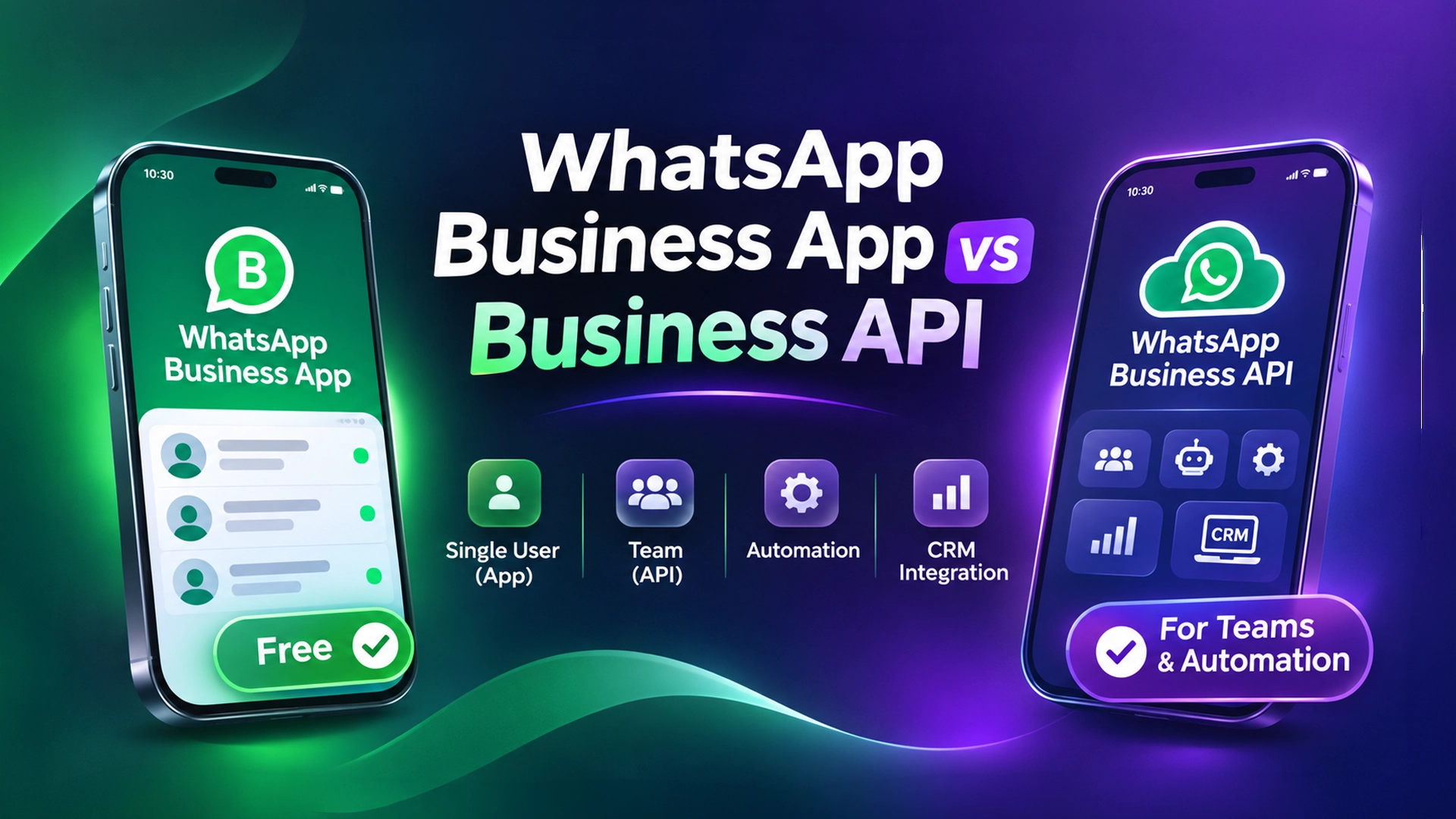
    The WhatsApp Business app is free and built for one owner on one phone. The WhatsApp Business API (now called the WhatsApp Business Platform) is built for teams, automation and CRMs. For a WhatsApp Business API Bangladesh setup, replies to customers are free inside a 24-hour window, while marketing, utility and authentication templates are charged per message.

    Key takeaways

    • The WhatsApp Business app costs nothing. Its limits are people and scale, not money.
    • Since 1 July 2025, Meta charges the API per delivered message, not per conversation.
    • Service replies inside the 24-hour customer service window are free. So are utility templates sent inside that window.
    • Click-to-WhatsApp ads and Facebook Page CTA buttons open a 72-hour window where all messages are free.
    • Marketing templates are always charged. Rates depend on the recipient’s country; Bangladesh sits in Meta’s “Rest of Asia Pacific” group.
    • Your real monthly bill = Meta’s message fees + your provider or CRM fee.

    What is the difference between the WhatsApp Business app and the API?

    The WhatsApp Business app is a free mobile app for small businesses. You install it on a phone, add a business profile, a catalog, labels and quick replies, and chat by hand.

    The WhatsApp Business API (officially the WhatsApp Business Platform, or Cloud API) is a programmable connection to WhatsApp. It has no app of its own. You use it through software such as a CRM, a chatbot builder or a shared inbox.

    Think of it this way. The app is a personal phone line with business features. The API is a call-centre line that many agents and bots can answer at once.

    Side-by-side comparison

    FeatureWhatsApp Business appWhatsApp Business API
    Price to useFreePer-message fees from Meta + provider fee
    Who uses itOwner or 1–2 staffTeams of any size
    DevicesOne phone plus a few linked devicesUnlimited agents through software
    Bulk messagesBroadcast lists (small, only to people who saved your number)Approved template campaigns to opted-in contacts
    AutomationGreeting, away message, quick repliesChatbots, AI replies, flows, webhooks
    CRM connectionNone built inNative: leads, pipeline, history, reports
    Team roles and chat assignmentNoYes, through your CRM or inbox tool
    Risk of ban for automationHigh if you use unofficial bulk toolsLow if you follow Meta policy

    What is free on WhatsApp Business in Bangladesh?

    A lot more is free than most sellers think. Here is the honest list.

    Free on the WhatsApp Business app

    • Downloading and using the app.
    • Unlimited one-to-one chats with customers.
    • Catalog, labels, quick replies, greeting message and away message.
    • Broadcast lists. Messages only reach contacts who saved your number, and each list is capped at a small size (widely reported as 256 contacts).

    Free on the WhatsApp Business API

    Per Meta’s pricing documentation, these messages cost nothing from Meta:

    • Service messages. Any free-form reply (text, image, voice note) sent while the 24-hour customer service window is open.
    • Utility templates inside the window. For example, an order confirmation sent while the customer’s chat is still open.
    • Free entry point messages. When someone messages you from a Click-to-WhatsApp ad or a Facebook Page call-to-action button on the mobile app, every message for 72 hours is free, templates included.

    The customer service window is the 24-hour period that starts when a customer messages you. Each new customer message resets the clock.

    How much does the WhatsApp Business API cost in Bangladesh?

    The API has two cost layers. Most “price” confusion in Bangladesh comes from mixing them up.

    Layer 1: Meta’s per-message fees

    Meta moved to per-message pricing on 1 July 2025. The WhatsApp Business Platform pricing page explains that you are charged when a template message is delivered. The rate depends on two things: the message category and the recipient’s country code.

    CategoryWhat it is forCharged?
    MarketingOffers, Eid campaigns, new arrivals, abandoned-cart nudgesAlways charged per delivered message
    UtilityOrder updates, delivery status, payment receiptsFree inside the 24-hour window; charged outside it
    AuthenticationOne-time passwords (OTP) for loginCharged (volume discounts apply)
    ServiceFree-form replies to customer questionsFree inside the 24-hour window

    Bangladesh numbers (+880) fall in Meta’s “Rest of Asia Pacific” market. Meta publishes the exact rates in its rate cards, and changes them only on the first day of a quarter with notice. Check the current card before you budget. We cover the full Taka breakdown in our WhatsApp Business API price in Bangladesh guide.

    Layer 2: Provider or CRM fees

    Meta does not give you an inbox. You need a Business Solution Provider (BSP) or a CRM that connects to the Cloud API. These tools charge a monthly subscription, and some add a markup on each message.

    Ask every provider three questions:

    1. Do you pass Meta’s message fees at cost, or add a markup?
    2. Can I pay in Taka, or do I need a dual-currency card?
    3. How many agents and numbers does the plan include?

    What about BDT and payment?

    Meta publishes its rate cards in a set of international billing currencies. If you or your provider pay Meta in a foreign currency, your cost in BDT moves with the exchange rate. Many Bangladeshi businesses avoid card hassles by paying a local provider in Taka through bank transfer, bKash or Nagad, where the provider supports it.

    Which one should a Bangladeshi business choose?

    Use the size of your inbox, not the size of your ambition, to decide.

    Stay on the free WhatsApp Business app if:

    • You get fewer than about 20–30 chats a day and one person can answer them.
    • You don’t run Click-to-WhatsApp ads at scale.
    • You don’t need reports on which ad brought which order.

    Move to the WhatsApp Business API if:

    • Two or more people need to answer the same number without sharing one phone.
    • Customers wait for replies at night, on Fridays or during Eid rush.
    • You want order confirmations and courier updates (Pathao, Steadfast, RedX) sent automatically.
    • You run ads and want to know the cost per lead and per sale.
    • Your broadcasts are getting your number restricted.

    A real estate developer in Dhaka and an f-commerce boutique in Mirpur have very different volumes. But both hit the same wall: one phone, many customers, no history. If that sounds familiar, read our WhatsApp CRM buyer’s checklist.

    Is “unofficial” WhatsApp API safe?

    An unofficial WhatsApp API is a tool that controls a normal WhatsApp or WhatsApp Business account through WhatsApp Web or a similar link, instead of Meta’s Cloud API. Many cheap bulk-SMS-style “WhatsApp marketing” tools in Bangladesh work this way.

    The appeal is clear: no template approval and no per-message fee. The risk is also clear. These connections are not sanctioned by Meta, so heavy or spammy use can get the number restricted or banned.

    Our honest advice:

    • Use the official API for marketing broadcasts and anything high-volume.
    • If you use an unofficial connection, keep it for normal one-to-one chats with customers who messaged you first.
    • Never buy contact lists and blast them. That is the fastest way to lose a number.

    Can you keep using the app after moving to the API?

    Yes, in many cases. Meta now supports coexistence, where one number stays active in the WhatsApp Business app while also connected to the Cloud API through a supported provider. Some features (such as broadcast lists and group chats) behave differently once connected, so check your provider’s notes before switching.

    Without coexistence, moving a number to the API removes it from the app. Back up your chats first.

    How to move from the WhatsApp Business app to the API: step by step

    1. Verify your Meta business portfolio. Use your trade licence and a matching website or utility bill. A mismatch in business name is the most common delay.
    2. Pick a provider or CRM. Compare monthly fee, message markup, Taka billing and Bangla support.
    3. Choose your number. Use your existing number (with coexistence if offered) or a new SIM that can receive an OTP.
    4. Set your display name and profile. Meta reviews the display name, so match it to your brand.
    5. Write and submit templates. Start with three: order confirmation (utility), delivery update (utility) and one offer (marketing).
    6. Connect your channels. Add Messenger and Instagram to the same inbox so every lead lands in one place.
    7. Train your replies. Load prices, delivery charges, COD rules and return policy into your FAQ or AI knowledge base.
    8. Test with your team. Send test orders, try a handoff from bot to human, then go live.

    Where Leads Nimble fits

    There are good global tools for WhatsApp API inboxes, such as WATI, Zoko and Kommo. We compare them openly in Leads Nimble vs Kommo vs Zoko vs WATI.

    Leads Nimble is an AI sales CRM and unified inbox built in Dhaka. It connects WhatsApp (official API and unofficial), Facebook Messenger, Instagram, website chat and Telegram in one inbox. Its AI assistant replies 24/7 in Bangla and English using your own prices and FAQs, then hands over to a human when needed.

    Every chat becomes a lead in a visual pipeline, with follow-up reminders, broadcasts, message templates and ad attribution. Bangladeshi customers are billed in Taka. See the full list on the features page.

    You can start on the free forever plan (Messenger, one page, 500 AI credits a month, no credit card) and add WhatsApp on a paid plan when you are ready. Compare plans on the pricing page or book a demo and we’ll walk you through the API setup.

    Frequently asked questions

    Is the WhatsApp Business API free in Bangladesh?

    Partly. Meta does not charge for service replies sent within 24 hours of a customer’s last message, or for utility templates sent in that window. Messages within 72 hours of a Click-to-WhatsApp ad or Page CTA click are also free. Marketing templates, authentication templates and utility templates outside the window are charged. Your provider or CRM usually adds a monthly fee on top.

    Is the WhatsApp Business app free?

    Yes. The WhatsApp Business app is free to download and use, with no message fees for normal chats. You get a business profile, catalog, labels, quick replies, greeting and away messages, and small broadcast lists. The cost is hidden in time: one phone, limited devices and no automation beyond basic replies. That becomes a bottleneck once you have several staff or high chat volume.

    How does Meta charge for the WhatsApp API now?

    Since 1 July 2025, Meta charges per delivered template message instead of per 24-hour conversation. The price depends on the template category (marketing, utility or authentication) and the recipient’s country. Bangladesh is in the “Rest of Asia Pacific” market. Utility and authentication messages get lower rates at higher monthly volumes. Rates change only at the start of a quarter.

    Can I use one number on both the WhatsApp Business app and the API?

    Often, yes. Meta’s coexistence option lets a number stay in the WhatsApp Business app while connected to the Cloud API through a supporting provider. Chat history can be synced, but some features such as broadcast lists and group chats work differently. Without coexistence, moving a number to the API removes it from the app, so back up chats first.

    Do I need a trade licence to get the WhatsApp Business API in Bangladesh?

    You need to verify your business with Meta, and a trade licence is the usual document Bangladeshi businesses use. The legal name on the document should match your Meta business portfolio and website. Some providers can help with onboarding before full verification, but verification unlocks higher messaging limits and is worth doing early.

    Which is better for f-commerce sellers, the app or the API?

    If one person handles fewer than about 20–30 chats a day, the free app is fine. Once you run Click-to-WhatsApp ads, have two or more staff replying, or want automatic order and courier updates, the API is better. It gives a shared inbox, chatbots, CRM history and reports on which ad produced each order.

  • How to Send Facebook Lead Ads to Your CRM Automatically

    How to Send Facebook Lead Ads to Your CRM Automatically

    By Leads Nimble Team (a product of Luminous Labs, Dhaka) · Last updated: 5 November 2026

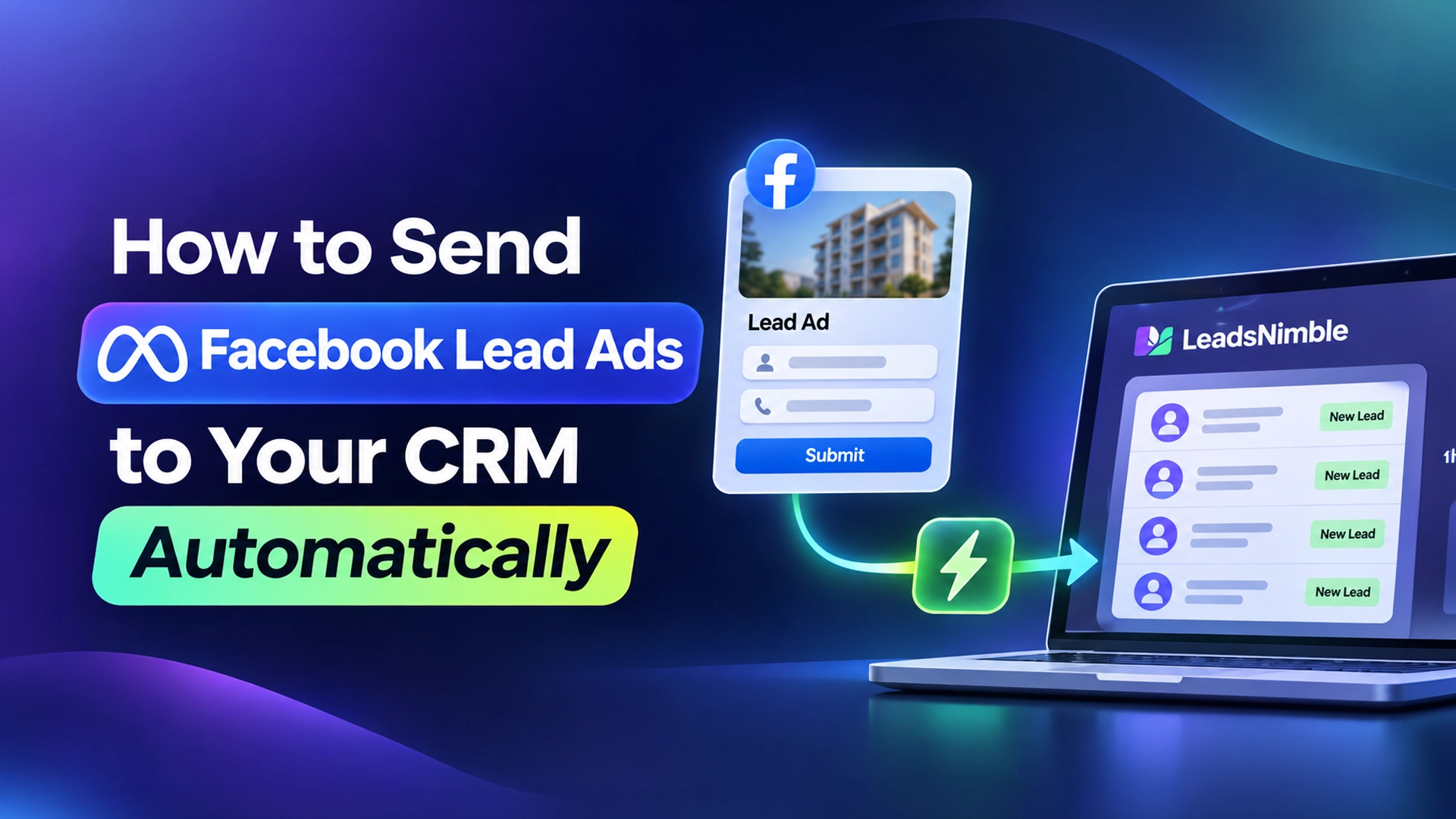
    To send Facebook Lead Ads to your CRM automatically, connect your Facebook Page’s lead forms to the CRM through a native integration, a connector like Zapier, or Meta’s webhooks. Each new form submission then appears in your CRM within seconds, with name, phone, answers and the ad it came from — no CSV downloads.

    Key takeaways

    • Manual CSV download is Meta’s least recommended option. It delays follow-up and loses the ad context.
    • There are four real routes: native CRM integration, a connector (Zapier, Make), Google Sheets as a middle step, or custom webhooks.
    • Always test with Meta’s Lead Ads Testing Tool before running budget.
    • Keep the Meta Lead ID with every lead so you can match results later.
    • The point of automation is speed: call or message the lead within minutes, not tomorrow.

    What are Facebook Lead Ads?

    Facebook Lead Ads (now called Meta lead ads or instant forms) are ads that open a form inside Facebook or Instagram. The user submits name, phone and your custom questions without leaving the app.

    A lead form is the set of questions attached to the ad. A Lead ID is the unique number Meta assigns to each submission. Meta’s CRM integration guide describes it as a 15–17 digit ID and asks that you keep it with each lead.

    Lead Ads are popular in Bangladesh for study abroad, real estate, courses, clinics, insurance and B2B services, where a phone call usually closes the sale.

    Why should Facebook leads go to a CRM automatically?

    Because leads go cold fast. In a Harvard Business Review study, firms that contacted leads within an hour were nearly seven times as likely to qualify them as firms that waited longer.

    Downloading a CSV once a day means many leads wait hours. By then, the person may have filled three competitors’ forms too. They may not even remember yours.

    Automatic sync also fixes other problems:

    • No copy-paste errors in phone numbers.
    • Each lead is assigned to a salesperson right away.
    • You keep the campaign, ad set and form name, so you can judge ads by sales, not only by cost per lead.
    • Nobody needs admin access to the ad account just to fetch leads.

    We wrote about the wider issue in stop losing sales in Facebook and Instagram DMs.

    What are the ways to send Facebook Lead Ads to a CRM?

    MethodSpeedCostSkill neededBest for
    Manual CSV downloadSlow (whenever someone downloads)FreeNoneTesting a single campaign
    Native CRM integrationNear real timeIncluded in the CRM planLowMost small teams
    Zapier / Make connectorNear real time (Zapier marks “New Lead” as an instant trigger)Paid connector plan; Zapier lists Lead Ads as a premium appLow to mediumCRMs without a native link
    Google Sheets (via connector)Near real timeConnector planLowTeams still working from a sheet
    Custom webhooks / Graph APIReal time with webhooksDeveloper time and hostingHighIn-house systems

    Meta’s own documentation lists partner integrations, webhooks, Graph API bulk reads and manual download. It marks manual download as not recommended.

    How to connect Facebook Lead Ads to a CRM natively (step by step)

    Menu names differ slightly between CRMs, but the steps are similar.

    1. Check your access. You need admin or full control of the Facebook Page in Meta Business Suite, and permission to access leads.
    2. Open the CRM’s integrations page. Find “Facebook Lead Ads” or “Meta lead forms” and click connect.
    3. Log in with Facebook. Approve the permissions the CRM asks for, including Page and leads access.
    4. Choose the Page and forms. Select one or more lead forms, or “all forms” on that Page.
    5. Map the fields. Match form questions to CRM fields: full name, phone, email, city, budget and custom questions.
    6. Set routing and the first action. Pick a pipeline stage, an owner or round-robin, and, if your CRM supports it, an instant welcome message on WhatsApp or Messenger.
    7. Test. Use Meta’s Lead Ads Testing Tool to submit a test lead and confirm it arrives correctly.
    8. Check Leads Access settings. If leads stop arriving, look at Page leads-access settings in Meta Business Suite. A removed CRM permission is a common cause.

    How to send Facebook Lead Ads to Google Sheets or a CRM with Zapier

    If your CRM has no native connection, use a connector.

    1. Create a Zapier account on a plan that includes premium apps. Zapier’s Facebook Lead Ads page lists it as premium.
    2. Choose the trigger “Facebook Lead Ads → New Lead” and connect your Facebook account.
    3. Select the Page and form.
    4. Add an action: “Google Sheets → Create Spreadsheet Row” or your CRM’s “Create Contact/Lead” action.
    5. Map each field, and include the lead ID, ad name and form name.
    6. Test with Meta’s testing tool, then turn the Zap on.

    Google Sheets is a fine middle step for a small team. Our free Google Sheets CRM template has columns ready for Lead Ads data. Remember that a sheet will not remind anyone to call.

    What about custom webhooks?

    A webhook is a URL on your server that Meta calls the moment a new lead arrives. It is the fastest and most flexible route, but it needs a developer.

    Your developer creates a Meta app, subscribes it to the Page’s leadgen events, fetches each lead by ID, and writes it into your database. They must handle access tokens, permissions and errors, and keep the app compliant with Meta’s review rules. For most small and mid-size businesses in Bangladesh, a CRM with a ready connection is cheaper over time.

    Which fields should a Facebook lead form collect?

    Shorter forms get more leads; better questions get better leads. Balance the two.

    • Always: full name and phone number (Meta can prefill these).
    • Useful: city or area (Dhaka, Chattogram, Sylhet…), preferred contact time, WhatsApp yes/no.
    • Qualifying (1–2 only): budget range, course or country of interest, flat size, service needed.
    • Consent: a clear line on how you will contact them and use their data.

    Use multiple-choice answers where you can. They map cleanly to CRM fields and are easier to segment later.

    What should happen in the first five minutes after a lead arrives?

    1. The lead appears in the CRM with source ad, form and Lead ID.
    2. It is assigned to a salesperson by rule.
    3. An automatic welcome message goes out on WhatsApp or Messenger in Bangla or English, if the person opted in.
    4. The salesperson gets a mobile notification and a task: “Call within 15 minutes.”
    5. If no one acts, the lead escalates to a manager.

    Phone numbers in Bangladesh should be stored in the +8801XXXXXXXXX format. That makes WhatsApp click-to-chat and dialling work reliably.

    Should you send lead quality back to Meta?

    Meta offers a Conversions API for CRM setup, where you report which leads became qualified or converted. The idea is to help delivery favour people likely to buy, not just people likely to fill forms. It needs stage data from your CRM and some technical setup, so start once your lead flow is stable.

    How Leads Nimble handles Facebook Lead Ads

    Leads Nimble, the AI sales CRM and unified inbox from Luminous Labs in Dhaka, captures Facebook Lead Ads and lead-capture forms into the same pipeline as your chats. That means:

    • Lead Ads, Messenger, Instagram, WhatsApp, website chat and Telegram leads sit in one pipeline.
    • Campaign and ad attribution shows which ad produced each lead.
    • The AI assistant can start the conversation 24/7 in Bangla or English and qualify the lead, with human handoff.
    • Team routing, tasks and follow-up reminders make sure someone calls.
    • Integrations with Google Sheets, Zapier, webhooks and a REST API connect to the rest of your tools.

    See the features page or compare options in our omnichannel lead management guide.

    Common problems and fixes

    ProblemLikely causeFix
    No leads arrivingCRM lost leads access on the PageReconnect and check leads-access settings in Business Suite
    Some leads missingNew form not selected in the integrationChoose “all forms” or add the new form
    Phone numbers brokenMixed formats (01…, 8801…, +8801…)Normalise to +8801 format in field mapping
    DuplicatesSame person submits twice or two connectors runUse one connection; dedupe on phone number
    Leads arrive but nobody callsNo routing or remindersAssign owners automatically and add a 15-minute task

    Get your Lead Ads into a pipeline today

    Start with one form. Connect it, run Meta’s test, then watch how fast your team responds over a week.

    Start on the Leads Nimble free plan or book a demo to connect your Lead Ads live with our team.

    Frequently asked questions

    How do I send Facebook Lead Ads to my CRM automatically?

    Open your CRM’s integrations page and connect Facebook Lead Ads, then log in, choose your Page and forms, and map fields. If your CRM has no native connection, use Zapier or Make with the “New Lead” trigger. Developers can also use Meta webhooks. Test every setup with Meta’s Lead Ads Testing Tool.

    Can I send Facebook leads to Google Sheets for free?

    Manual CSV export and import is free but slow. Automatic sync usually needs a connector such as Zapier, which lists Facebook Lead Ads as a premium app on paid plans, or a CRM that includes a Google Sheets integration. A sheet stores leads but does not remind anyone to follow up.

    Why are my Facebook leads not showing in my CRM?

    The most common cause is lost leads access: the CRM’s permission on the Page was removed or expired. Other causes are a new form not selected in the integration, or a page role change. Reconnect the integration, select all forms, and submit a test lead with Meta’s testing tool.

    How fast should I contact a Facebook lead?

    Within minutes if possible. Harvard Business Review research found firms that contacted leads within an hour were nearly seven times as likely to qualify them as firms that waited longer. Automatic sync, instant assignment and a mobile alert make a five-to-fifteen-minute response realistic.

    Is Zapier required to connect Lead Ads to a CRM?

    No. Many CRMs connect to Facebook Lead Ads natively, which is simpler and avoids a second subscription. Zapier or Make is useful when your CRM lacks a native link or you need to send leads to several tools at once. Custom webhooks are another option if you have a developer.

    Does Leads Nimble support Facebook Lead Ads?

    Yes. Leads Nimble captures Facebook Lead Ads and lead-capture forms into the same pipeline as Messenger, Instagram, WhatsApp, website chat and Telegram conversations. It records which ad produced each lead, lets the AI assistant start a conversation in Bangla or English, and routes the lead to the right salesperson.

  • Best AI Tools for Small Business in Bangladesh (2026)

    Best AI Tools for Small Business in Bangladesh (2026)

    Last updated: 5 November 2026 · By Leads Nimble Team (Luminous Labs, Dhaka)

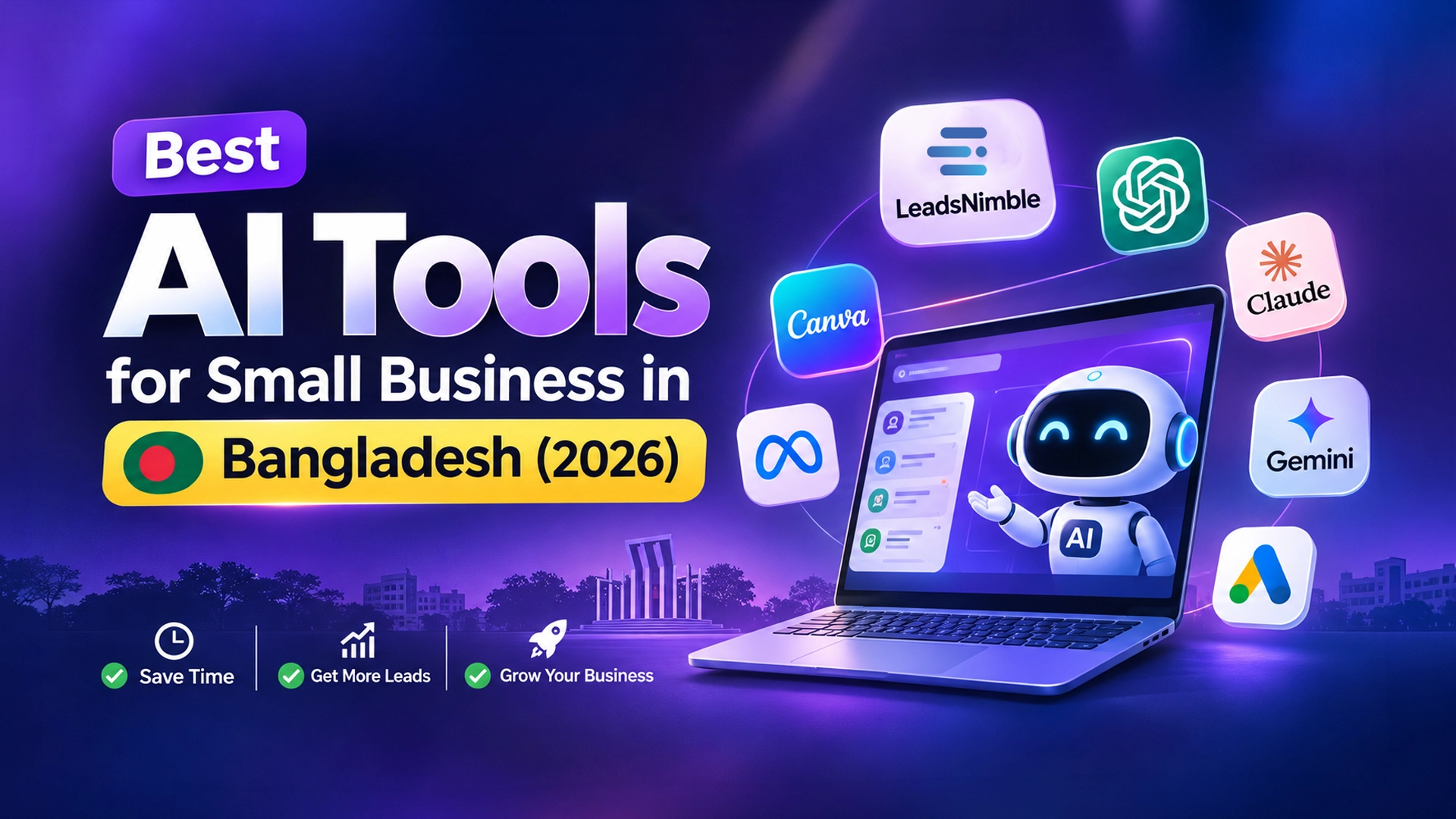
    The best AI tools for small business in Bangladesh are the ones that save hours on daily jobs: replying to customers, writing posts, making designs, running ads and tracking leads. A practical 2026 stack starts with Leads Nimble, an AI CRM inbox that answers Messenger and WhatsApp buyers in Bangla. Add ChatGPT, Claude or Gemini for writing, Canva for design and Meta’s ad automation. Most have free plans.

    Key takeaways

    • Pick AI tools by job, not by hype. Start with the job that eats the most hours.
    • Every tool below has a free plan or a free starting point.
    • General chatbots write well in Bangla, but they don’t connect to your Facebook inbox on their own.
    • For customer replies, you need a tool that plugs into Messenger or WhatsApp and knows your prices.
    • Keep a human in the loop for prices, refunds and complaints.

    What counts as an AI tool for a small business?

    An AI tool is software that uses machine learning to write, design, answer, predict or sort work that a person would otherwise do by hand. A general AI assistant is a chatbot such as ChatGPT that can help with almost any text task. A job-specific AI tool is built for one task, such as replying to customers or designing posts.

    For a Facebook-page seller in Mirpur or a study-abroad agency in Dhanmondi, the question is simple. Which tools give back hours this month, without a big bill or a tech team?

    Best AI tools for small business in Bangladesh: comparison table

    ToolMain jobFree optionWorks in Bangla?Paid entry (verified)
    Leads NimbleAI CRM and unified inbox: AI replies, lead pipeline, ordersFree forever planAI replies in Bangla and EnglishBilled in Taka; see pricing
    ChatGPTWriting, ideas, replies draftsYes, free planYes, reads and writes BanglaPlus: $20/month; Go: lower, priced locally in some markets
    ClaudeWriting, long documents, analysisYes, free planYesPro: $20/month monthly, or $17/month billed yearly
    Google GeminiWriting, Google Docs/Sheets helpYes, free tierYesPaid Google AI plans; check your local price
    CanvaSocial posts, banners, short videoYes, Canva FreeBangla interface availableCanva Pro; check your local price
    Meta Advantage+ (Ads Manager)Ad targeting and creative variationsNo extra fee; you pay for adsAds can be in BanglaAd spend only
    Meta Business Suite automationsBasic auto replies on Facebook and InstagramFreeYou write the replies in BanglaFree

    Prices above come from each vendor’s own page in November 2026: ChatGPT Plus and Claude pricing. Foreign subscriptions are charged in US dollars, so your bank’s card rate and fees apply. Where we couldn’t confirm a current price, we left it out.

    Which AI tools help you reply to customers faster?

    For most Bangladeshi small businesses, customer messages are where money is lost. Buyers ask “price?” on Messenger at 11pm and buy from whoever answers first. A widely cited Harvard Business Review study found firms that responded within an hour were far more likely to qualify a lead than slower firms.

    1. Leads Nimble (AI CRM inbox, free plan)

    An AI CRM inbox is a tool that puts all customer chats in one place and lets an AI assistant answer from your own product data. Leads Nimble does this for Messenger, Instagram, WhatsApp, website chat and Telegram. Its AI answers 24/7 in Bangla and English, qualifies leads and hands over to a person when needed.

    2. Meta Business Suite (free)

    Meta Business Suite lets you set instant replies, away messages and keyword-based automated responses. It costs nothing. It does not understand open questions, though. It only sends the text you prepared. Our free Facebook auto reply guide walks through the setup.

    3. WhatsApp Business app (free)

    The WhatsApp Business app gives you quick replies, greeting messages and away messages on one phone. It has no real AI and is hard to share across a team. Read our WhatsApp Business App vs API guide to see when the API makes sense.

    Which AI tools are best for writing posts and content?

    ChatGPT, Claude and Gemini all handle Bangla captions, product descriptions and English emails. Each has a free plan, so test all three with the same prompt. Keep the one whose Bangla sounds most natural to your customers.

    • ChatGPT: strong all-rounder; Plus costs $20 a month. OpenAI also offers a cheaper ChatGPT Go plan.
    • Claude: good with long documents, such as turning a 20-page supplier catalogue into a price list.
    • Gemini: useful if your team already lives in Gmail, Google Docs and Google Sheets.

    Our honest advice: always edit AI-written Bangla before posting. Machine-sounding Bangla hurts trust on a Facebook page. If you want ready prompts for customer replies, see our ChatGPT Bangla auto reply guide.

    Which AI tools are best for design and video?

    Canva is the default design tool for most Bangladeshi page owners. The free plan includes templates and some AI features, and Canva offers a Bangla interface. Paid Canva Pro unlocks more AI tools, brand kits and background removal.

    Use it for Eid offer banners, product cards with price tags, and short Reels. Keep one brand template so every post looks consistent. Then batch a week of posts in one sitting.

    Which AI tools help with Facebook and Google ads?

    Meta Advantage+ is the set of automated campaign and creative features inside Meta Ads Manager. It uses Meta’s machine learning to find buyers and test creative variations. There is no separate fee; you pay only for ad spend.

    Google Ads offers similar automation through Performance Max campaigns. For most f-commerce sellers, Meta ads matter more, because the sale happens in Messenger.

    One warning: ad AI only optimises for what you measure. If you can’t see which ad produced which order, you can’t judge the AI’s choices. That is why ad attribution in your CRM matters.

    Which tools help with accounting and bookkeeping?

    Here we must be honest: the most popular local bookkeeping apps are not AI-first. They still save time. TallyKhata is a Bangla-language app for tracking sales, expenses, dues and payment reminders. Hishabee is another local business management app.

    Where AI helps is analysis. Export your monthly sales to Google Sheets. Then ask ChatGPT, Claude or Gemini questions such as “Which product had the most returns?” Remove customer phone numbers and addresses before you paste any data.

    Which AI CRM is best for small business in Bangladesh?

    A CRM (customer relationship management system) is software that stores every lead, conversation and deal in one place so nothing is forgotten. Free options include a Google Sheet, HubSpot’s free CRM and Zoho CRM’s free edition. These are solid for email-heavy businesses.

    Most Bangladeshi small businesses sell through Messenger and WhatsApp, not email. So the inbox matters more than the contact database. Leads Nimble combines both: a unified inbox, a visual sales pipeline, follow-up reminders and campaign attribution showing which ad produced each lead. It also supports in-chat orders and invoices with pay links.

    Compare free CRMs side by side in our best free CRM software in Bangladesh roundup.

    How to roll out AI tools in your business in 30 days

    1. Week 1 – find the leak. List your top five time-wasting tasks. Count unanswered messages from the last seven days.
    2. Week 1 – pick one job. Choose the job that costs the most sales or hours. For most pages, that is customer replies.
    3. Week 2 – write your knowledge base. Put prices, sizes, delivery charges inside and outside Dhaka, bKash/Nagad and COD rules, and return policy in one document.
    4. Week 2 – set up a free plan. Connect your Facebook page to an AI inbox and feed it the knowledge base.
    5. Week 3 – test with real questions. Use 20 real customer messages, including Banglish and spelling mistakes.
    6. Week 3 – add content tools. Use ChatGPT, Claude or Gemini plus Canva to batch a week of posts.
    7. Week 4 – review and decide. Check reply times, orders and wrong answers. Upgrade only the tools that clearly paid off.

    What are the risks of using AI in a small business?

    • Wrong facts: AI can state wrong prices or invent offers. Feed it your own data and review its answers.
    • Privacy: don’t paste customer phone numbers or payment details into general chat apps.
    • Robotic tone: stiff Bangla puts buyers off. Edit, and give the AI examples of your style.
    • Dollar costs: several small USD subscriptions add up. Review them every quarter.
    • No handoff: complaints and refunds need a person. Set clear rules for when AI steps back.

    Start with the job that loses you the most sales

    If your inbox is where buyers slip away, start there. Leads Nimble’s free forever plan includes one user seat, one Messenger page, unlimited message sessions and 500 AI credits a month, with no credit card. Paid plans add seats, channels and AI credits, and Bangladeshi customers are billed in Taka.

    Start the free plan, explore the full feature list, or book a demo with our Dhaka team.

    Frequently asked questions

    What is the best free AI tool for small business in Bangladesh?

    There is no single best tool, because each covers a different job. For writing, the free plans of ChatGPT, Claude and Gemini are all strong in Bangla. For design, Canva Free is the most common choice. For customer replies on Messenger, the Leads Nimble free plan gives you AI replies in Bangla with AI credits included, while Meta Business Suite offers free basic automations.

    Can AI tools reply to customers in Bangla?

    Yes. Modern AI models read Bangla and Banglish and can reply in natural Bangla. The quality depends on your instructions and data. Give the AI your prices, policies and a few sample replies in your tone. Test it with real customer messages before going live, and keep a human ready for complaints.

    How much do AI tools cost per month in Bangladesh?

    Many start free. Paid plans for global tools are charged in US dollars, for example ChatGPT Plus at $20 a month and Claude Pro at $20 a month, or $17 a month billed yearly. Your bank’s exchange rate and card fees apply on top. Leads Nimble bills Bangladeshi customers in Taka.

    Is ChatGPT enough to automate my Facebook page?

    No. ChatGPT can write replies, captions and prompts, but the app does not connect to your Facebook inbox by itself. To reply automatically, you need a tool that links an AI to Messenger through Meta’s official API and uses your product data. Otherwise, you copy and paste answers by hand.

    Do I need technical skills to use these AI tools?

    No. ChatGPT, Canva, Meta Business Suite and most AI inboxes are built for non-technical users. The main work is preparing good information: prices, delivery rules and common questions. Only custom bots built with APIs need a developer. A short setup call or a vendor demo is usually enough to get started.

    Which AI tool should a Facebook page seller start with?

    Start with customer replies, because slow replies lose sales directly. Open the Leads Nimble free plan first: its AI answers Messenger buyers in Bangla from your own price list and tracks each order. Meta Business Suite’s free automations can cover simple greetings. Then add ChatGPT or Canva for content.

  • F-commerce Automation in Bangladesh: Replies, Orders, Leads

    F-commerce Automation in Bangladesh: Replies, Orders, Leads

    By Leads Nimble Team (a product of Luminous Labs, Dhaka) · Last updated: 5 November 2026

    F-commerce automation in Bangladesh means using tools to reply to Facebook page messages and comments instantly, take orders inside the chat, confirm COD or bKash payments, hand orders to couriers like Pathao, Steadfast or RedX, and follow up with buyers — without a person typing every reply. It lets small page sellers handle more orders with the same team.

    Key takeaways

    • F-commerce has four jobs to automate: replies, order taking, order tracking and repeat sales.
    • Start free with Meta Business Suite automated responses, then add AI when repeat questions exceed your team’s capacity.
    • Automate the questions, not the trust. Keep payment problems, complaints and returns with people.
    • Confirm COD orders before handing them to the courier to cut fake orders and returns.
    • Track every order back to the post or ad that produced it.

    What is f-commerce?

    F-commerce is selling products directly through Facebook, mainly via a Facebook page, its posts, Messenger and Facebook groups, instead of a full online store. Buyers see a post, comment “price?”, message the page, and pay by cash on delivery or mobile wallet.

    F-commerce automation is the use of software to handle the repetitive parts of that process: replies, order capture, status updates and follow-ups.

    How big is f-commerce in Bangladesh?

    Facebook’s reach is huge. DataReportal’s Digital 2026 Bangladesh report says Meta’s ad tools showed 64.0 million Facebook users in Bangladesh in late 2025.

    Reliable recent counts of f-commerce pages are hard to find. An older e-CAB estimate, reported by The Daily Star in 2020, counted over 50,000 active f-commerce pages at the end of 2019. The number is surely different today, but no newer official figure was available when we checked.

    What every seller knows is the daily reality: hundreds of “dam koto?”, “delivery charge koto?” and “COD hobe?” messages, peaks at night and before Eid, and a small team trying to keep up.

    Which f-commerce tasks can you automate?

    TaskManual todayAutomated versionKeep human?
    Greeting new messagesTyped by moderatorInstant reply in BanglaNo
    Price, size, colour questionsCopy-paste from notesAI answers from your product listOnly for unusual requests
    “Price?” comments on postsReply one by oneComment auto-reply plus private messageNo
    Taking the orderAsk name, address, phone in chatOrder flow collects details in orderCheck before dispatch
    PaymentShare bKash/Nagad number, check screenshotsPay link or clear payment instructionsYes, for disputes
    Order confirmationPhone callConfirmation message; call only unclear onesPartly
    Courier bookingEnter in courier portalExport or push via Sheets, Zapier or APIPartly
    Follow-up and repeat salesRarely doneSegments and broadcasts for new stock or Eid offersNo
    Complaints and returnsModeratorTicket created automaticallyYes

    Step 1: How do you automate replies on a Facebook page?

    Start with what is free. Meta Business Suite lets you set instant replies, away messages and FAQ buttons for Messenger. Our guide to free Facebook page auto reply walks through each setting.

    Free rules have a limit: they match fixed triggers. When customers ask “lal ta XL e ache? Mirpur e kal pabo?”, a keyword rule cannot answer. That is where an AI assistant helps. It reads the question, checks your product list and replies naturally in Bangla, English or Banglish.

    For ready-made wording, use our 200+ Bangla auto reply templates.

    Step 2: How do you turn “price?” comments into inbox orders?

    Comment automation replies publicly (“Inbox e details dilam”) and sends a private message with price and an order button. This keeps prices out of comment wars and moves the buyer into a chat where you can take the order.

    We cover the full setup in our Bangla guide to comment auto-reply and inbox orders.

    Step 3: How do you take orders inside Messenger or WhatsApp?

    An order flow is a short, fixed set of questions that collects everything the courier needs. Keep it to one question per message.

    1. Confirm the product, size and colour (with a photo).
    2. Ask for quantity.
    3. Ask for full name.
    4. Ask for phone number (+8801 format).
    5. Ask for full address with area and district.
    6. Show total: product price + delivery charge (inside Dhaka / outside Dhaka).
    7. Ask payment method: COD, bKash or Nagad advance, or pay link.
    8. Send an order summary and ask the buyer to reply “Confirm”.

    The written “Confirm” step matters. It gives you a record and filters out casual clickers before you pay for a courier trip.

    Step 4: How do you reduce fake COD orders and returns?

    Returned parcels cost you delivery charges both ways. Some practical steps sellers use:

    • Require written confirmation of the order summary in chat.
    • Call first-time buyers with large orders before dispatch.
    • Take a small advance (for example, the delivery charge) by bKash or Nagad for outside-Dhaka orders.
    • Tag customers who refused parcels before, and ask them for advance payment next time.
    • Send a dispatch message with expected delivery days, so buyers are ready to receive.

    Step 5: How do orders reach Pathao, Steadfast or RedX?

    Most sellers still type orders into the courier’s merchant panel. That is fine at low volume. As orders grow, use one of these routes:

    • Bulk upload: export confirmed orders to a sheet in the courier’s format and upload them.
    • Connector: push confirmed orders to Google Sheets or a courier tool using Zapier or webhooks.
    • API: some couriers offer merchant APIs. A developer can connect them to your order system.

    Check each courier’s merchant documentation for current options, as they change.

    Step 6: How do you track leads and repeat buyers?

    Every message is a potential order, so treat it like a lead. A simple pipeline works:

    New message → Interested → Order details taken → Confirmed → Dispatched → Delivered → Repeat buyer (or Returned / Lost).

    With this, you can see who asked the price but never ordered, and follow up the next day. You can also tag buyers by product category and message them when new stock lands. Not sure how much the missed ones cost? Try our missed message calculator.

    Check Meta’s current Messenger messaging rules before sending promotional broadcasts. Messages outside the normal reply window have restrictions, and breaking them can limit your page.

    Which f-commerce automation tool is best in Bangladesh?

    ToolWhat it does wellLimits
    Meta Business Suite (free)Instant replies, away messages, FAQs, saved repliesKeyword-style rules; no order pipeline or AI understanding
    WhatsApp Business app (free)Catalog, quick replies, labels, greeting and away messagesOne number, manual order tracking; see our app vs API comparison
    Chatbot builders (e.g. ManyChat)Flow-based bots and comment automationYou design every flow; billed in USD; CRM features limited
    Google SheetsFree order logNo inbox, no automation without connectors
    Leads NimbleAI replies in Bangla and English, comment automation, in-chat orders, pipeline, broadcasts and ad attribution in one placeFree plan covers one user and one Messenger page; more channels and seats on paid plans

    Many sellers combine tools: Meta’s free replies while starting, then a CRM with AI once moderators cannot keep up. For a deeper buyer’s view, see our WhatsApp CRM buyer’s checklist.

    How Leads Nimble automates f-commerce

    Leads Nimble is an AI sales CRM and unified inbox from Luminous Labs, Mirpur DOHS, Dhaka. For page sellers it brings together:

    • Unified inbox for Facebook Messenger, Instagram, WhatsApp (official API and unofficial), website chat and Telegram.
    • AI assistant trained on your products, prices, delivery charges and FAQs, replying 24/7 in Bangla and English, with human handoff.
    • Comment automation to answer “price?” comments and move buyers to the inbox.
    • In-chat orders and invoicing with pay links.
    • Pipeline, segments, broadcasts and follow-up reminders for unconverted leads and repeat buyers.
    • Campaign and ad attribution to see which post or ad produced each order.
    • Integrations with Shopify, Google Sheets, Zapier, webhooks and a REST API, plus a mobile app and team roles.

    Explore the full feature list.

    Your first week of f-commerce automation

    1. Day 1: List your top 20 customer questions and answers, including delivery charges inside and outside Dhaka.
    2. Day 2: Upload products with prices, sizes and photos to your knowledge base.
    3. Day 3: Turn on AI replies for Messenger, with handoff for complaints and payment issues.
    4. Day 4: Switch on comment automation for your next post or boosted ad.
    5. Day 5: Build the order flow and the confirmation message.
    6. Day 6: Set the pipeline stages and a next-day follow-up for “asked price, didn’t order”.
    7. Day 7: Review conversations, fix wrong answers and update the knowledge base.

    Start automating your page

    Leads Nimble’s free forever plan includes one user, one Messenger page and 500 AI credits a month, with no credit card. Start free, or book a demo to see an order flow built for your products.

    Frequently asked questions

    What is f-commerce automation?

    F-commerce automation is using software to handle repetitive work in Facebook-based selling: replying to messages and comments, collecting order details, sending confirmations and following up with buyers. It lets a small team handle more conversations, respond faster at night and during sales peaks, and keep a clear record of every order and lead.

    Can I automate my Facebook page replies for free?

    Yes. Meta Business Suite offers free instant replies, away messages and frequently asked question buttons for Messenger. They work on fixed triggers, so they cannot understand mixed Bangla-English questions. Leads Nimble’s free plan adds an AI assistant for one Messenger page with 500 AI credits a month.

    Can a chatbot reply in Bangla to customers?

    Yes. AI assistants trained on your product list can understand and reply in Bangla, English and Banglish. Accuracy depends on the information you provide. Keep prices, stock and delivery charges updated, review conversations regularly, and set handoff rules so complaints and payment issues reach a person.

    How do I reduce fake COD orders?

    Ask buyers to confirm a written order summary in chat, call first-time buyers with large or outside-Dhaka orders, and consider a small advance such as the delivery charge by bKash or Nagad. Tag customers who refused parcels before. These steps cut wasted courier trips without blocking genuine buyers.

    Can automation book my courier automatically?

    Partly. Many sellers export confirmed orders to a sheet and bulk-upload them to Pathao, Steadfast or RedX merchant panels. Connectors like Zapier or webhooks can push orders to sheets or courier tools, and some couriers offer merchant APIs for developers. Check each courier’s current documentation.

    Will automation make my page feel robotic?

    Not if you set it up well. Write answers in your page’s own tone, use Bangla the way your customers do, and keep humans for complaints, negotiations and special requests. Fast, accurate answers usually feel better to buyers than slow replies from a busy moderator.

  • How to Set Up Free Auto Reply on Your Facebook Page (2026 Guide)

    How to Set Up Free Auto Reply on Your Facebook Page (2026 Guide)

    Last updated: 5 November 2026 · By Leads Nimble Team (a product of Luminous Labs, Dhaka)

    You can set up a Facebook page auto reply free of charge inside Meta Business Suite. Open Inbox, click Automations, and turn on Instant reply, Away message, Frequently asked questions and Comment to message. These native tools cost nothing, but they only send fixed text. For real answers about price, stock or delivery, you need AI.

    Key takeaways

    • Meta Business Suite gives every Facebook Page free automations: Instant reply, Away message, FAQs, Custom keywords and Comment to message.
    • Set them up on a desktop browser at business.facebook.com, under Inbox → Automations.
    • Native replies are fixed text. They cannot check stock, quote a delivery charge or take an order.
    • Write replies in Bangla and English, keep them short, and always tell the customer when a human will answer.
    • Add an AI assistant when your inbox gets more messages than your team can answer within minutes.

    What is a Facebook page auto reply?

    A Facebook page auto reply is a message that Meta sends automatically when someone messages or comments on your Page. You write it once, and it goes out every time its trigger fires.

    Meta calls these “automations”. They live inside the Inbox of Meta Business Suite and work for both Messenger and, on many Pages, Instagram DMs.

    For a Facebook-page seller in Dhaka, auto replies solve one painful problem. A customer asks “dam koto?” at 11 pm, and nobody answers until morning. By then, they have bought from another page.

    Which free auto reply options does Meta Business Suite offer in 2026?

    Menu names change often, so check your own account. As of late 2026, guides that walk through the Automations screen list these templates, according to InstantDM’s August 2026 walkthrough:

    AutomationWhat triggers itBest use for a Bangladeshi page
    Instant replyFirst message from a person (or after a long gap)Greeting in Bangla + English, with what to send for a price quote
    Away messageMessages during hours you mark as away“We reply from 10 am. Send product photo and your area meanwhile.”
    Frequently asked questionsCustomer taps a suggested questionDelivery charge, COD, bKash/Nagad payment, return policy
    Location / Contact information / HoursMessages asking where, how to call, or when you are openShowroom address, hotline, Friday closing time
    Custom keywordsMessages containing words you choose“price”, “dam”, “delivery”, “COD”
    Comment to messageA comment containing chosen hashtags or keywordsSend a private reply to everyone who comments on a live or offer post
    Identify unanswered messagesMessages left without a replyReminder for the team to clear the backlog

    All of these are free. You do not need a paid tool, an app review or a developer.

    How to set up Facebook page auto reply free: step by step

    Use a laptop or desktop. Several automations, including Comment to message, are desktop-only.

    1. Open Meta Business Suite. Go to business.facebook.com and pick the correct Page from the top-left selector.
    2. Go to Inbox → Automations. You will see a list of templates and a “Create automation” option.
    3. Turn on Instant reply. Click it, edit the message, add the customer’s first name if offered, then save and switch it on.
    4. Set Away message. Choose your away hours (for example 11 pm to 10 am) and write what happens next.
    5. Add Frequently asked questions. Add 3–4 questions customers ask most, each with a short answer.
    6. Create Custom keywords. Add words like “price” and “delivery” and a reply for each.
    7. Set up Comment to message. Choose the trigger words or hashtags, write the private message, and save.
    8. Test from a personal account. Message and comment from a friend’s profile. Check spelling, Bangla font and links.

    How to write the instant reply message

    Your instant reply should do three things. Greet, set expectations, and ask for the details you need.

    আসসালামু আলাইকুম! Thanks for messaging. Please send the product photo or code and your delivery area (inside/outside Dhaka). We reply within working hours, 10 am – 10 pm.

    Avoid long paragraphs. Guides such as Spur’s Messenger automation guide note that auto replies are commonly capped around 500 characters, so keep the message tight.

    How to set up comment to message for live and offer posts

    Comment to message is a private reply. It sends a Messenger message to someone who commented on your post.

    Ask people to comment a specific word, such as “PRICE” or “#order”. Then send the price, delivery charge and order steps privately. This keeps prices out of public comments, where competitors read them.

    One rule to remember: Meta allows only one private reply per comment, within 7 days of the comment, as described in the same InstantDM guide.

    How to write keyword replies that work in Banglish

    Customers type “price koto”, “dam koto”, “দাম কত” and “price?” for the same question. Add all common spellings.

    Keyword automations allow up to five keywords or phrases each and matching is case-sensitive, according to Planoly’s October 2026 guide. So add “Price”, “price” and “PRICE” if you need them, and split long lists across several automations.

    What are the limits of free Facebook auto replies?

    Native automations are a great start. But they hit a wall quickly once your page grows.

    • Fixed text only. The reply is the same for everyone. It cannot say “the blue one is out of stock, the black one is available”.
    • No product knowledge. It cannot read your price list, sizes or delivery zones.
    • Exact matching. Keyword replies miss spelling variations you did not add.
    • Keyword replies wait. Custom keyword replies send after about 15 minutes unless you reply first, per the InstantDM and Planoly guides.
    • One page at a time. Each Page needs its own setup. WhatsApp sits in a separate app.
    • No lead tracking. Nobody can see which customer is waiting for a follow-up, or which ad brought them.
    • Messaging window. Meta’s Messenger Platform policy gives businesses up to 24 hours to respond after a customer messages. After that, sending is restricted to approved cases.

    The last point matters for f-commerce. If you miss a message for a full day, you may lose the right to follow up freely on Messenger.

    Free native auto reply vs AI auto reply: which is best?

    An AI auto reply is a reply written by an AI model that reads the customer’s message and answers from your own product information. It is different from a fixed template.

    NeedMeta native automations (free)AI assistant in a CRM inbox
    Greeting and away messageYesYes
    Answer “dam koto?” with the right priceOnly one fixed priceYes, from your price list
    Delivery charge inside/outside DhakaFixed textCan ask the area and answer
    Reply in Bangla and EnglishOnly what you wroteYes, matches the customer
    Hand over to a humanManualAutomatic handoff rules
    Track the lead and follow upNoPipeline, tasks, reminders
    WhatsApp and Instagram in one placePartly (Instagram)Depends on the tool
    CostFreeFree plans exist; paid plans for scale

    Rule of thumb: if you get under 20 messages a day and answer them yourself, Meta’s free tools are enough. If messages pile up overnight or during sales, add AI.

    When should a Bangladeshi page add AI to its auto replies?

    Watch for these signs:

    • You see “seen, no reply” chats every morning.
    • The same 10 questions take most of your day: price, size, delivery charge, COD, bKash number.
    • Boosted posts bring more messages than your team can handle.
    • You cannot tell which customers are waiting for a callback or a courier update.
    • You sell on Facebook and WhatsApp, and switch between apps all day.

    If two or more of these are true, an AI layer will likely save sales. Read our guide on how to stop losing sales in Facebook and Instagram DMs for the bigger picture.

    How does Leads Nimble add AI to Facebook page replies?

    Leads Nimble is an AI sales CRM with a unified inbox, built by Luminous Labs in Dhaka. It connects your Facebook Page (and, on paid plans, WhatsApp, Instagram, website chat and Telegram) to one inbox.

    Its AI assistant answers 24/7 in Bangla and English. You train it on your own knowledge base: products, prices, delivery charges, COD rules and FAQs. When a question needs a person, it hands the chat to your team.

    Every conversation becomes a lead in a visual pipeline. You get follow-up reminders, tasks, comment automation and ad attribution, so you can see which ad brought which customer. See the full list on the features page.

    The Free plan costs $0 with no credit card. It includes 1 user seat, one Messenger page, 500 AI credits a month and unlimited message sessions. Paid plans add seats, channels and AI credits, billed in Taka for Bangladeshi customers. Check current details on the pricing page.

    Best practices for auto replies on a Facebook business page

    1. Write like a person. “Apu/Bhaiya, size ta janale ami confirm kore dichhi” feels warmer than a robotic line.
    2. Never promise what the bot cannot do. Do not write “your order is confirmed” in an instant reply.
    3. Give a clear next step. Ask for product code, size and area in one message.
    4. Show payment options. Mention COD, bKash and Nagad if you accept them.
    5. Name your courier. “Delivery by Pathao/Steadfast in 2–3 days inside Dhaka” builds trust. Use your real timelines.
    6. Update for campaigns. Change the greeting during Eid, 11.11 or flash sales.
    7. Review weekly. Read 20 recent chats and fix replies that confused people.

    Need ready-made wording? Copy from our 200+ Bangla auto reply message templates.

    Start free, then grow

    Turn on Meta’s free automations today. They take 20 minutes and stop the worst overnight losses.

    When fixed replies stop being enough, try the Leads Nimble Free plan to add AI replies in Bangla and a simple lead pipeline. Prefer a walkthrough? Book a demo with our Dhaka team.

    Frequently asked questions

    Is Facebook page auto reply free?

    Yes. Meta Business Suite includes free automations for every Facebook Page. You can set up Instant reply, Away message, Frequently asked questions, Custom keywords and Comment to message without paying. You only pay if you choose a third-party tool for AI replies, extra channels or lead tracking. Many of those tools, including Leads Nimble, also have free plans.

    Where is the auto reply option in Meta Business Suite?

    Open business.facebook.com on a desktop browser and select your Page. Click Inbox in the left menu, then Automations. There you will find the templates, such as Instant reply and Away message, plus an option to create a new automation. Some options, including Comment to message, may not appear in the mobile app, so use a computer for setup.

    Can Facebook auto reply in Bangla?

    Yes. Meta sends exactly the text you write, so you can write your auto replies in Bangla, English or Banglish. Native automations will not translate or adapt the reply, though. If you want replies that match the language the customer used, you need an AI assistant, such as the one in Leads Nimble, which replies in both Bangla and English.

    Why is my Facebook auto reply not working?

    Common reasons: the automation toggle is off, an away message is active and takes priority, or the keyword does not match exactly. Keyword matching is case-sensitive, so “Price” and “price” are different. Also check that you are testing from a different account, not the Page admin profile. Finally, some features are unavailable in certain regions.

    Can I auto reply to Facebook comments for free?

    Yes. The Comment to message automation in Meta Business Suite sends a private Messenger reply when someone comments with words or hashtags you choose. Meta allows one private reply per comment, within 7 days. It works well for live sales and offer posts where many people comment “price” or “interested”.

    Do auto replies count towards my page response time?

    Generally, no. Guides on Meta’s tools note that instant replies and away messages usually do not count toward response-rate badges or reply-time metrics. A human or an AI agent still needs to answer the actual question. Read our guide to Facebook page response time for benchmarks.

    When should I use an AI chatbot instead of Meta’s free auto reply?

    Switch when fixed replies stop answering real questions. Signs include many unanswered chats each morning, repeated price and delivery questions, and leads lost between Facebook and WhatsApp. An AI assistant trained on your product list can answer those questions, collect order details and hand complex chats to your team.

  • Best Free CRM Software for Small Business in Bangladesh (2026)

    Best Free CRM Software for Small Business in Bangladesh (2026)

    Last updated: 5 November 2026 · By Leads Nimble Team (a product of Luminous Labs, Dhaka)

    The best free CRM software Bangladesh businesses can use depends on where your leads come from. If most customers message your Facebook page, pick a free CRM with a Messenger inbox, such as Leads Nimble Free. For email-led B2B sales, HubSpot or Zoho CRM’s free plans fit better. Google Sheets works for very small teams.

    Key takeaways

    • HubSpot is free for up to 2 users and 1,000 contacts; Zoho CRM is free for up to 3 users.
    • Freshsales no longer lists a free plan on its pricing page in 2026; it offers a 21-day trial instead.
    • Most global free CRMs are built around email, not Facebook Messenger or WhatsApp.
    • Bangladeshi f-commerce and service businesses should check three things: Messenger/WhatsApp inbox, Bangla replies and Taka billing for upgrades.
    • Start free, but plan where you will go when you add a second salesperson or channel.

    What is free CRM software?

    CRM (customer relationship management) software is a tool that stores every lead and customer, tracks each conversation and reminds your team to follow up. A free CRM is one that has a $0 plan with no time limit, not just a trial.

    Free plans always come with caps. These are usually the number of users, contacts, pipelines or automation steps. The trick is to choose the free plan whose limits you will hit last.

    New to the topic? Read our plain-language guide on omnichannel lead management first.

    Free CRM software Bangladesh comparison: which free plans are best in 2026?

    We checked each vendor’s own pricing page in November 2026. Limits change, so confirm before you sign up.

    CRMFree usersKey free limitsFacebook / WhatsApp chat inboxBest for
    Leads Nimble Free11 Messenger page, 500 AI credits/month, unlimited message sessionsMessenger on Free; WhatsApp, Instagram, web chat, Telegram on paid plansFacebook-page sellers who want AI replies + pipeline
    HubSpot21,000 contacts; limited chat and Messenger with HubSpot brandingMessenger limitedEmail-led B2B, marketing websites
    Zoho CRM3Leads, contacts, workflow automation, standard reports, mobile appsNot in the free feature listSmall B2B teams with structured sales
    Bitrix24See noteBasic CRM (deals, contacts), 5 GB storage, tasks, calendarPipelines and some tools only on paid tiersTeams that also want tasks and internal chat
    EngageBayUp to 15250 contacts, 1,000 branded emailsLive chat; not a Messenger inboxSmall teams wanting email marketing + CRM
    Capsule CRM2250 contacts, 1 pipeline, 5 custom fieldsNoSimple contact and deal tracking
    Odoo One App FreeUnlimitedOne app only (e.g. CRM), hosted on Odoo OnlineNo native Messenger inbox in the free appBusinesses that may move to a full ERP later
    Google SheetsUnlimited (shared sheet)No automation without add-onsNoVery small sellers starting out
    FreshsalesNone (trial only)21-day trial, then a paid planOn paid plansTeams ready to pay from month one

    Note on Bitrix24: its pricing page labels the Free plan “100% free for 1–2 users”, while its FAQ mentions unlimited users. Confirm the current seat limit in your own account.

    Which free CRM is best for Facebook page sellers in Bangladesh?

    Most Bangladeshi small businesses do not sell by email. They sell in Messenger, WhatsApp and Instagram DMs, often in Banglish. Payment is COD, bKash or Nagad, and parcels go out with Pathao, Steadfast or RedX.

    Global CRMs were designed for a different flow: website form → email → call → deal. You can make them work, but your team will copy chats into the CRM by hand. That is where leads slip.

    For a page seller, a good free CRM must do three things:

    1. Pull Messenger chats into the CRM automatically, so every new message becomes a lead.
    2. Help you reply faster, ideally with an AI assistant that answers price and delivery questions in Bangla.
    3. Remind you to follow up with people who asked but did not order.

    Leads Nimble’s Free plan is built around that flow. HubSpot’s free plan has a limited Messenger connection, but most of its strength is in email and marketing pages.

    Free CRM reviews: the main options in detail

    Leads Nimble Free

    Leads Nimble is an AI sales CRM and unified inbox made by Luminous Labs in Mirpur DOHS, Dhaka. The Free plan costs $0, needs no credit card and has no expiry.

    It includes 1 user seat, one Facebook Messenger page, 500 AI credits a month and unlimited message sessions. The AI assistant replies 24/7 in Bangla and English from your own knowledge base and hands chats to a human when needed.

    Paid plans (Growth, Pro, Business and Corporate) add seats, AI credits and channels: WhatsApp (official API and unofficial), Instagram, website chat and Telegram. Bangladeshi customers are billed in Taka. See the pricing page for current plans.

    Limits: one user and one channel on Free. Teams will need to upgrade.

    HubSpot free CRM

    HubSpot’s free tools cover up to 2 users and 1,000 contacts, according to its CRM pricing page. You also get email marketing (up to 2,000 sends a month), meeting links, landing pages and basic reports.

    Live chat, bots and Facebook Messenger are included but limited and carry HubSpot branding. Paid plans are priced in US dollars and climb quickly as you add seats.

    Good for: B2B companies, software firms and agencies that sell through email and websites.

    Zoho CRM Free Edition

    Zoho CRM’s Free edition is “forever free” for up to 3 users. It includes leads, contacts, follow-up reminders, workflow automation, standard reports, mobile apps and 5,000 API calls a day, per Zoho’s pricing page.

    Zoho is a strong choice if your sales are structured: visits, quotes and invoices. It does not list a Messenger or WhatsApp inbox in the free feature set.

    Bitrix24 Free

    Bitrix24’s Free plan combines a basic CRM with tasks, calendars, chat and video calls, plus 5 GB of storage. Sales pipelines, invoices and telephony sit on paid tiers, per its pricing page.

    It suits teams that want an all-in-one workspace. The interface has many modules, so expect a learning curve.

    EngageBay, Capsule and Odoo

    EngageBay lists a free plan for teams up to 15 members with 250 contacts and branded email. Capsule CRM is free for 2 users and 250 contacts. Odoo offers “One App Free” with unlimited users, if you install only one app, such as CRM.

    The 250-contact caps on EngageBay and Capsule fill up fast for a Facebook page that gets dozens of new chats daily.

    What happened to the Freshsales free plan?

    Freshsales used to offer a free plan for up to 3 users. In 2026, the Freshworks CRM pricing page shows only paid plans and a 21-day trial. If you see an old article recommending “Freshsales Free”, treat it as out of date.

    Google Sheets as a free CRM

    A shared Google Sheet is the simplest free CRM. Add columns for name, phone, product, status and next follow-up date, then use dropdowns and filters.

    It breaks once several people edit it at once or chats come from three channels. We built a ready layout in our free Google Sheets CRM template guide.

    How to choose a free CRM for your business in Bangladesh

    Use this five-step check before you commit:

    1. List your lead sources. Facebook page, WhatsApp, Instagram, website form, walk-ins, phone calls. Rank them by volume.
    2. Count your users. Free plans allow 1–3 users in most cases. Count everyone who replies to customers.
    3. Check chat channels. If Messenger and WhatsApp bring most leads, the CRM must connect them, not just store contacts.
    4. Test Bangla. Type a Bangla message and see whether names, search and templates work. Check whether any AI replies handle Bangla.
    5. Price the first upgrade. Look at what one more user or one more channel costs, and whether you can pay in Taka with a local method.

    Which free CRM fits which type of business?

    Business typeMain lead sourceSensible free starting point
    F-commerce seller (clothing, cosmetics, gadgets)Messenger, comments, WhatsAppLeads Nimble Free or Google Sheets
    Study-abroad agencyFacebook Lead Ads, WhatsApp, walk-insLeads Nimble or Zoho CRM
    Real-estate developerLead Ads, calls, MessengerLeads Nimble, Zoho CRM or HubSpot
    Clinic or consultantWhatsApp, Messenger, phoneLeads Nimble or Google Sheets
    B2B software or IT servicesEmail, website, LinkedInHubSpot or Zoho CRM

    See industry playbooks on our industries page.

    When does a free CRM stop being enough?

    Free plans are meant to get you started. You have outgrown yours when:

    • A second or third person needs to answer chats.
    • You add WhatsApp or Instagram as a sales channel.
    • You run ads and need to know which ad brought each lead.
    • You hit the contact cap and start deleting old leads.
    • Follow-ups are missed because nobody gets reminders.

    We cover this in depth in free vs paid CRM: 7 signs you’ve outgrown Excel.

    Try a free CRM built for Bangladeshi chats

    If your customers message before they buy, start with a CRM that lives where they talk. Start the Leads Nimble Free plan with no credit card, or book a demo to see the AI inbox in Bangla.

    Frequently asked questions

    Which is the best free CRM software in Bangladesh?

    It depends on your lead source. For Facebook page sellers, a CRM with a Messenger inbox and Bangla AI replies, such as Leads Nimble Free, saves the most time. For email-led B2B teams, HubSpot (2 users, 1,000 contacts) or Zoho CRM (3 users) are strong. Very small sellers can start with a Google Sheets template.

    Is HubSpot CRM really free?

    Yes, HubSpot has a free plan with no time limit. As of November 2026 its pricing page lists it as free for up to 2 users and 1,000 contacts. Some tools, including live chat and Messenger, are limited and carry HubSpot branding. Paid upgrades are billed in US dollars per seat.

    Does Freshsales still have a free plan?

    No free plan is shown on the Freshworks CRM pricing page in November 2026. New users get a 21-day trial of the full CRM and must then pick a paid plan. Older articles that recommend the Freshsales free plan are out of date, so check the pricing page before deciding.

    Can I use a free CRM with Facebook Messenger and WhatsApp?

    Some free CRMs connect Messenger, but few connect WhatsApp on a free plan. Leads Nimble Free includes one Messenger page; WhatsApp, Instagram, website chat and Telegram come with paid plans. HubSpot’s free plan has a limited Messenger connection. Zoho, Capsule and Odoo free plans do not list a Messenger inbox.

    Can I pay for a CRM in Taka?

    Many global CRMs bill in US dollars, so you may need an international card. Leads Nimble bills Bangladeshi customers in Taka, which avoids card limits and currency charges. Always check the vendor’s billing page for current currency and payment options.

    Is Google Sheets good enough as a CRM?

    For one person handling a few leads a day, yes. Sheets is free, shared and easy. It struggles when several people edit at once, when chats arrive from multiple channels, or when you need automatic reminders and reports. That is usually the point to move to a real CRM.

    How many users do free CRM plans allow?

    Most free plans allow 1–3 users. Leads Nimble Free allows 1, HubSpot 2, Capsule 2 and Zoho CRM 3. EngageBay lists up to 15, and Odoo’s One App Free allows unlimited users for one app. Check each pricing page, since limits change.