

Last updated: 5 November 2026 · By Leads Nimble Team (a product of Luminous Labs, Dhaka)
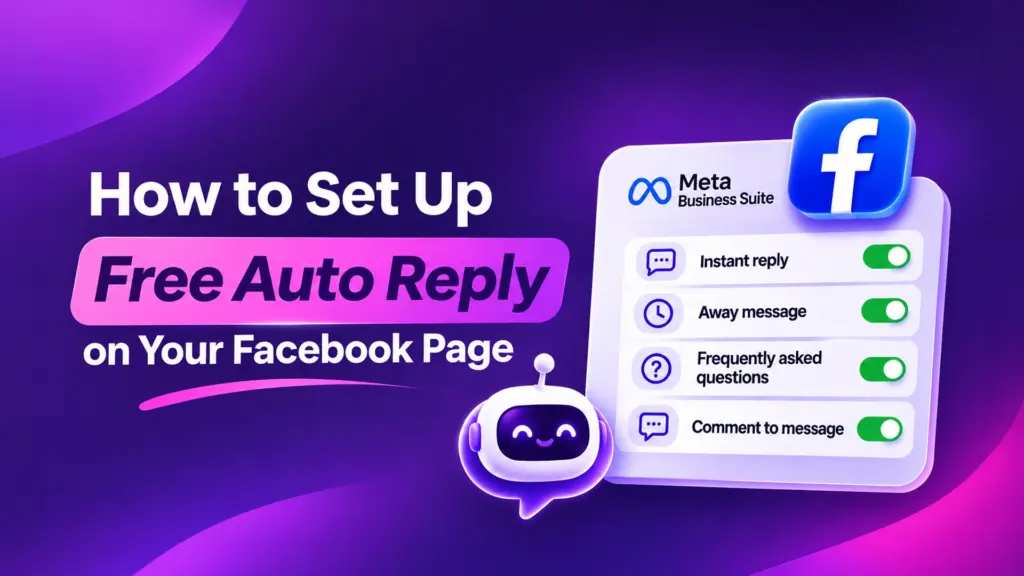
You can set up a Facebook page auto reply free of charge inside Meta Business Suite. Open Inbox, click Automations, and turn on Instant reply, Away message, Frequently asked questions and Comment to message. These native tools cost nothing, but they only send fixed text. For real answers about price, stock or delivery, you need AI.
Key takeaways
- Meta Business Suite gives every Facebook Page free automations: Instant reply, Away message, FAQs, Custom keywords and Comment to message.
- Set them up on a desktop browser at business.facebook.com, under Inbox → Automations.
- Native replies are fixed text. They cannot check stock, quote a delivery charge or take an order.
- Write replies in Bangla and English, keep them short, and always tell the customer when a human will answer.
- Add an AI assistant when your inbox gets more messages than your team can answer within minutes.
What is a Facebook page auto reply?
A Facebook page auto reply is a message that Meta sends automatically when someone messages or comments on your Page. You write it once, and it goes out every time its trigger fires.
Meta calls these “automations”. They live inside the Inbox of Meta Business Suite and work for both Messenger and, on many Pages, Instagram DMs.
For a Facebook-page seller in Dhaka, auto replies solve one painful problem. A customer asks “dam koto?” at 11 pm, and nobody answers until morning. By then, they have bought from another page.
Which free auto reply options does Meta Business Suite offer in 2026?
Menu names change often, so check your own account. As of late 2026, guides that walk through the Automations screen list these templates, according to InstantDM’s August 2026 walkthrough:
| Automation | What triggers it | Best use for a Bangladeshi page |
|---|---|---|
| Instant reply | First message from a person (or after a long gap) | Greeting in Bangla + English, with what to send for a price quote |
| Away message | Messages during hours you mark as away | “We reply from 10 am. Send product photo and your area meanwhile.” |
| Frequently asked questions | Customer taps a suggested question | Delivery charge, COD, bKash/Nagad payment, return policy |
| Location / Contact information / Hours | Messages asking where, how to call, or when you are open | Showroom address, hotline, Friday closing time |
| Custom keywords | Messages containing words you choose | “price”, “dam”, “delivery”, “COD” |
| Comment to message | A comment containing chosen hashtags or keywords | Send a private reply to everyone who comments on a live or offer post |
| Identify unanswered messages | Messages left without a reply | Reminder for the team to clear the backlog |
All of these are free. You do not need a paid tool, an app review or a developer.
How to set up Facebook page auto reply free: step by step
Use a laptop or desktop. Several automations, including Comment to message, are desktop-only.
- Open Meta Business Suite. Go to business.facebook.com and pick the correct Page from the top-left selector.
- Go to Inbox → Automations. You will see a list of templates and a “Create automation” option.
- Turn on Instant reply. Click it, edit the message, add the customer’s first name if offered, then save and switch it on.
- Set Away message. Choose your away hours (for example 11 pm to 10 am) and write what happens next.
- Add Frequently asked questions. Add 3–4 questions customers ask most, each with a short answer.
- Create Custom keywords. Add words like “price” and “delivery” and a reply for each.
- Set up Comment to message. Choose the trigger words or hashtags, write the private message, and save.
- Test from a personal account. Message and comment from a friend’s profile. Check spelling, Bangla font and links.
How to write the instant reply message
Your instant reply should do three things. Greet, set expectations, and ask for the details you need.
আসসালামু আলাইকুম! Thanks for messaging. Please send the product photo or code and your delivery area (inside/outside Dhaka). We reply within working hours, 10 am – 10 pm.
Avoid long paragraphs. Guides such as Spur’s Messenger automation guide note that auto replies are commonly capped around 500 characters, so keep the message tight.
How to set up comment to message for live and offer posts
Comment to message is a private reply. It sends a Messenger message to someone who commented on your post.
Ask people to comment a specific word, such as “PRICE” or “#order”. Then send the price, delivery charge and order steps privately. This keeps prices out of public comments, where competitors read them.
One rule to remember: Meta allows only one private reply per comment, within 7 days of the comment, as described in the same InstantDM guide.
How to write keyword replies that work in Banglish
Customers type “price koto”, “dam koto”, “দাম কত” and “price?” for the same question. Add all common spellings.
Keyword automations allow up to five keywords or phrases each and matching is case-sensitive, according to Planoly’s October 2026 guide. So add “Price”, “price” and “PRICE” if you need them, and split long lists across several automations.
What are the limits of free Facebook auto replies?
Native automations are a great start. But they hit a wall quickly once your page grows.
- Fixed text only. The reply is the same for everyone. It cannot say “the blue one is out of stock, the black one is available”.
- No product knowledge. It cannot read your price list, sizes or delivery zones.
- Exact matching. Keyword replies miss spelling variations you did not add.
- Keyword replies wait. Custom keyword replies send after about 15 minutes unless you reply first, per the InstantDM and Planoly guides.
- One page at a time. Each Page needs its own setup. WhatsApp sits in a separate app.
- No lead tracking. Nobody can see which customer is waiting for a follow-up, or which ad brought them.
- Messaging window. Meta’s Messenger Platform policy gives businesses up to 24 hours to respond after a customer messages. After that, sending is restricted to approved cases.
The last point matters for f-commerce. If you miss a message for a full day, you may lose the right to follow up freely on Messenger.
Free native auto reply vs AI auto reply: which is best?
An AI auto reply is a reply written by an AI model that reads the customer’s message and answers from your own product information. It is different from a fixed template.
| Need | Meta native automations (free) | AI assistant in a CRM inbox |
|---|---|---|
| Greeting and away message | Yes | Yes |
| Answer “dam koto?” with the right price | Only one fixed price | Yes, from your price list |
| Delivery charge inside/outside Dhaka | Fixed text | Can ask the area and answer |
| Reply in Bangla and English | Only what you wrote | Yes, matches the customer |
| Hand over to a human | Manual | Automatic handoff rules |
| Track the lead and follow up | No | Pipeline, tasks, reminders |
| WhatsApp and Instagram in one place | Partly (Instagram) | Depends on the tool |
| Cost | Free | Free plans exist; paid plans for scale |
Rule of thumb: if you get under 20 messages a day and answer them yourself, Meta’s free tools are enough. If messages pile up overnight or during sales, add AI.
When should a Bangladeshi page add AI to its auto replies?
Watch for these signs:
- You see “seen, no reply” chats every morning.
- The same 10 questions take most of your day: price, size, delivery charge, COD, bKash number.
- Boosted posts bring more messages than your team can handle.
- You cannot tell which customers are waiting for a callback or a courier update.
- You sell on Facebook and WhatsApp, and switch between apps all day.
If two or more of these are true, an AI layer will likely save sales. Read our guide on how to stop losing sales in Facebook and Instagram DMs for the bigger picture.
How does Leads Nimble add AI to Facebook page replies?
Leads Nimble is an AI sales CRM with a unified inbox, built by Luminous Labs in Dhaka. It connects your Facebook Page (and, on paid plans, WhatsApp, Instagram, website chat and Telegram) to one inbox.
Its AI assistant answers 24/7 in Bangla and English. You train it on your own knowledge base: products, prices, delivery charges, COD rules and FAQs. When a question needs a person, it hands the chat to your team.
Every conversation becomes a lead in a visual pipeline. You get follow-up reminders, tasks, comment automation and ad attribution, so you can see which ad brought which customer. See the full list on the features page.
The Free plan costs $0 with no credit card. It includes 1 user seat, one Messenger page, 500 AI credits a month and unlimited message sessions. Paid plans add seats, channels and AI credits, billed in Taka for Bangladeshi customers. Check current details on the pricing page.
Best practices for auto replies on a Facebook business page
- Write like a person. “Apu/Bhaiya, size ta janale ami confirm kore dichhi” feels warmer than a robotic line.
- Never promise what the bot cannot do. Do not write “your order is confirmed” in an instant reply.
- Give a clear next step. Ask for product code, size and area in one message.
- Show payment options. Mention COD, bKash and Nagad if you accept them.
- Name your courier. “Delivery by Pathao/Steadfast in 2–3 days inside Dhaka” builds trust. Use your real timelines.
- Update for campaigns. Change the greeting during Eid, 11.11 or flash sales.
- Review weekly. Read 20 recent chats and fix replies that confused people.
Need ready-made wording? Copy from our 200+ Bangla auto reply message templates.
Start free, then grow
Turn on Meta’s free automations today. They take 20 minutes and stop the worst overnight losses.
When fixed replies stop being enough, try the Leads Nimble Free plan to add AI replies in Bangla and a simple lead pipeline. Prefer a walkthrough? Book a demo with our Dhaka team.
Frequently asked questions
Is Facebook page auto reply free?
Yes. Meta Business Suite includes free automations for every Facebook Page. You can set up Instant reply, Away message, Frequently asked questions, Custom keywords and Comment to message without paying. You only pay if you choose a third-party tool for AI replies, extra channels or lead tracking. Many of those tools, including Leads Nimble, also have free plans.
Where is the auto reply option in Meta Business Suite?
Open business.facebook.com on a desktop browser and select your Page. Click Inbox in the left menu, then Automations. There you will find the templates, such as Instant reply and Away message, plus an option to create a new automation. Some options, including Comment to message, may not appear in the mobile app, so use a computer for setup.
Can Facebook auto reply in Bangla?
Yes. Meta sends exactly the text you write, so you can write your auto replies in Bangla, English or Banglish. Native automations will not translate or adapt the reply, though. If you want replies that match the language the customer used, you need an AI assistant, such as the one in Leads Nimble, which replies in both Bangla and English.
Why is my Facebook auto reply not working?
Common reasons: the automation toggle is off, an away message is active and takes priority, or the keyword does not match exactly. Keyword matching is case-sensitive, so “Price” and “price” are different. Also check that you are testing from a different account, not the Page admin profile. Finally, some features are unavailable in certain regions.
Can I auto reply to Facebook comments for free?
Yes. The Comment to message automation in Meta Business Suite sends a private Messenger reply when someone comments with words or hashtags you choose. Meta allows one private reply per comment, within 7 days. It works well for live sales and offer posts where many people comment “price” or “interested”.
Do auto replies count towards my page response time?
Generally, no. Guides on Meta’s tools note that instant replies and away messages usually do not count toward response-rate badges or reply-time metrics. A human or an AI agent still needs to answer the actual question. Read our guide to Facebook page response time for benchmarks.
When should I use an AI chatbot instead of Meta’s free auto reply?
Switch when fixed replies stop answering real questions. Signs include many unanswered chats each morning, repeated price and delivery questions, and leads lost between Facebook and WhatsApp. An AI assistant trained on your product list can answer those questions, collect order details and hand complex chats to your team.



Discussion 4