Category: Guides

Cross-industry buyer’s guides, definitions, and tool comparisons for evaluating lead management platforms.

  • Leads Nimble vs. Kommo vs. Zoko vs. Wati: How to Choose an Omnichannel Inbox

    Leads Nimble vs. Kommo vs. Zoko vs. Wati: How to Choose an Omnichannel Inbox

    Running a WhatsApp CRM comparison? There’s no shortage of WhatsApp and messaging tools competing for the same budget line right now, and most of them are genuinely good at what they focus on — the trick is matching the tool to what your business actually needs, not picking whichever has the flashiest homepage. Here’s an honest breakdown of where each of these fits, based on what they’re actually built for.

    WhatsApp CRM comparison: Leads Nimble vs Kommo vs Zoko vs Wati
    A WhatsApp CRM comparison of Kommo, Zoko, Wati and Leads Nimble by what each is actually built for.

    WhatsApp CRM comparison: quick summary

    Tool Built primarily for Channel coverage Pricing model
    Kommo (formerly amoCRM) Sales teams that think in pipelines WhatsApp + messengers, CRM-first Per-user, starting around $15/user/month
    Zoko Shopify sellers running WhatsApp commerce WhatsApp-first, e-commerce focused Plan-based, e-commerce feature set
    Wati Small teams wanting a simple shared WhatsApp inbox WhatsApp + Instagram Plan-based, budget-friendly entry tier
    Leads Nimble Businesses capturing leads across every ad-driven channel WhatsApp, Messenger, Instagram, TikTok, SMS, email Plan-based, includes built-in voice calling

    Pricing changes often across this category — always confirm current numbers directly with each provider before deciding. A 2024 review of WhatsApp Business Solution Providers by Gartner Peer Insights found buyers most frequently cited channel breadth and ease of setup — not price — as the deciding factor between similarly-priced platforms in this category.

    Kommo: best if your process is a sales pipeline first

    Kommo started as a CRM (amoCRM) and added messaging on top, which shows in what it does well: a genuinely capable visual sales pipeline, deal stages, and automation built around moving a lead through a structured process. It’s a strong fit for teams — real estate, B2B, service businesses — where the sales cycle has multiple stages and needs real pipeline discipline.

    The trade-off is that Kommo is a tool you configure and maintain. The pipeline logic, automations, and structure are powerful, but somebody on your team needs to build and keep them tidy. If your sales process is genuinely a multi-step pipeline, that investment usually pays off. If you mostly need fast replies to simple inquiries, it’s more infrastructure than you need.

    Zoko: best for Shopify-native WhatsApp commerce

    Zoko is built specifically for e-commerce sellers on Shopify running WhatsApp as a sales and support channel — product catalogs, abandoned cart recovery, and order-related messaging are core to what it does. For a Shopify store whose lead flow is almost entirely WhatsApp, it’s a focused, commerce-native option, similar in spirit to what we’ve described for e-commerce sellers losing sales in Facebook and Instagram DMs.

    The trade-off is channel breadth: it’s built around WhatsApp specifically, so a business getting significant volume from Instagram DMs or Facebook Messenger will find those channels either unsupported or bolted on rather than natively unified.

    Wati: best for a simple, low-cost shared inbox

    Wati is a straightforward, budget-friendly option for small teams that mainly need a shared WhatsApp inbox with basic automation and broadcast messaging, plus Instagram support. It’s easy to set up and reasonably priced at the entry tier, which makes it a common starting point for small businesses.

    The trade-off shows up as needs grow: AI capability and pipeline depth are limited compared to more full-featured platforms, so teams that outgrow “just answer messages faster” often find themselves needing to migrate to something with more structure.

    Where Leads Nimble fits

    Leads Nimble is built for a specific situation that doesn’t map neatly onto any of the three above: a business running ads across multiple platforms — Facebook, Instagram, TikTok — where leads arrive scattered across WhatsApp, Messenger, Instagram DMs, SMS, and email, and need to be captured, qualified, and converted regardless of which channel they came in on. This is the exact gap we describe in why businesses lose leads in chat across nine different industries.

    That means broader channel coverage than Zoko or Wati by default, a visual pipeline in the spirit of Kommo but paired natively with the messaging layer rather than bolted onto a CRM, and — distinctly — built-in outbound voice calling in the same platform, so a hot lead can get a phone call without switching tools. It’s also built with Bangla and English support and BDT pricing alongside USD, which matters if your business or customer base is in South Asia.
    WhatsApp CRM comparison: how to actually decide

    Four questions cut through most of the noise — the same four worth running through our WhatsApp CRM buyer’s checklist if you want the longer version:

    1. Is your lead flow WhatsApp-only, or spread across multiple ad platforms? WhatsApp-only points toward Zoko or Wati. Spread across Meta platforms and beyond points toward Kommo or Leads Nimble.
    2. Do you need a structured, multi-stage sales pipeline, or fast replies to simple questions? Structured pipeline points toward Kommo or Leads Nimble. Simple, fast replies is enough for Wati.
    3. Do you ever need to call a lead directly, not just message them? If yes, that narrows the field considerably — built-in voice calling isn’t standard across this category.
    4. Is your business or customer base based in South Asia, needing local language and currency support? That’s a genuine differentiator worth weighing alongside features.

    Frequently asked questions

    Is the most expensive option always the best choice?

    No. The right tool is the one that matches your actual lead volume, channel mix, and sales process — a simple business with low volume can be well served by a cheaper, more focused tool.

    Can I switch tools later without losing data?

    Usually yes for contacts and conversation history, though the ease varies by provider — ask about export options before committing to any platform, not after.

    Do any of these require a separate WhatsApp Business API account?

    Most platforms in this category, including Leads Nimble, handle WhatsApp Business API setup as part of onboarding — confirm this specifically if you don’t have in-house technical resources.

    Want to run your own WhatsApp CRM comparison against your channel mix? Start a free trial — no card required, set up in minutes.
  • WhatsApp CRM Buyer’s Checklist: What to Look for Before You Switch

    WhatsApp CRM Buyer’s Checklist: What to Look for Before You Switch

    Use this WhatsApp CRM Buyer’s Checklist before you commit to a switch. Most businesses don’t research a WhatsApp CRM carefully the first time — they grab whatever comes up first, get it working, and only discover the gaps six months later when the team has outgrown it. That pattern shows up in the data too: roughly 40% of companies switch CRM platforms within their first two years, and limited functionality is the single most common reason cited. This checklist is meant to shortcut that: the questions worth asking before you commit, not after.

    WhatsApp CRM buyer's checklist before you switch tools
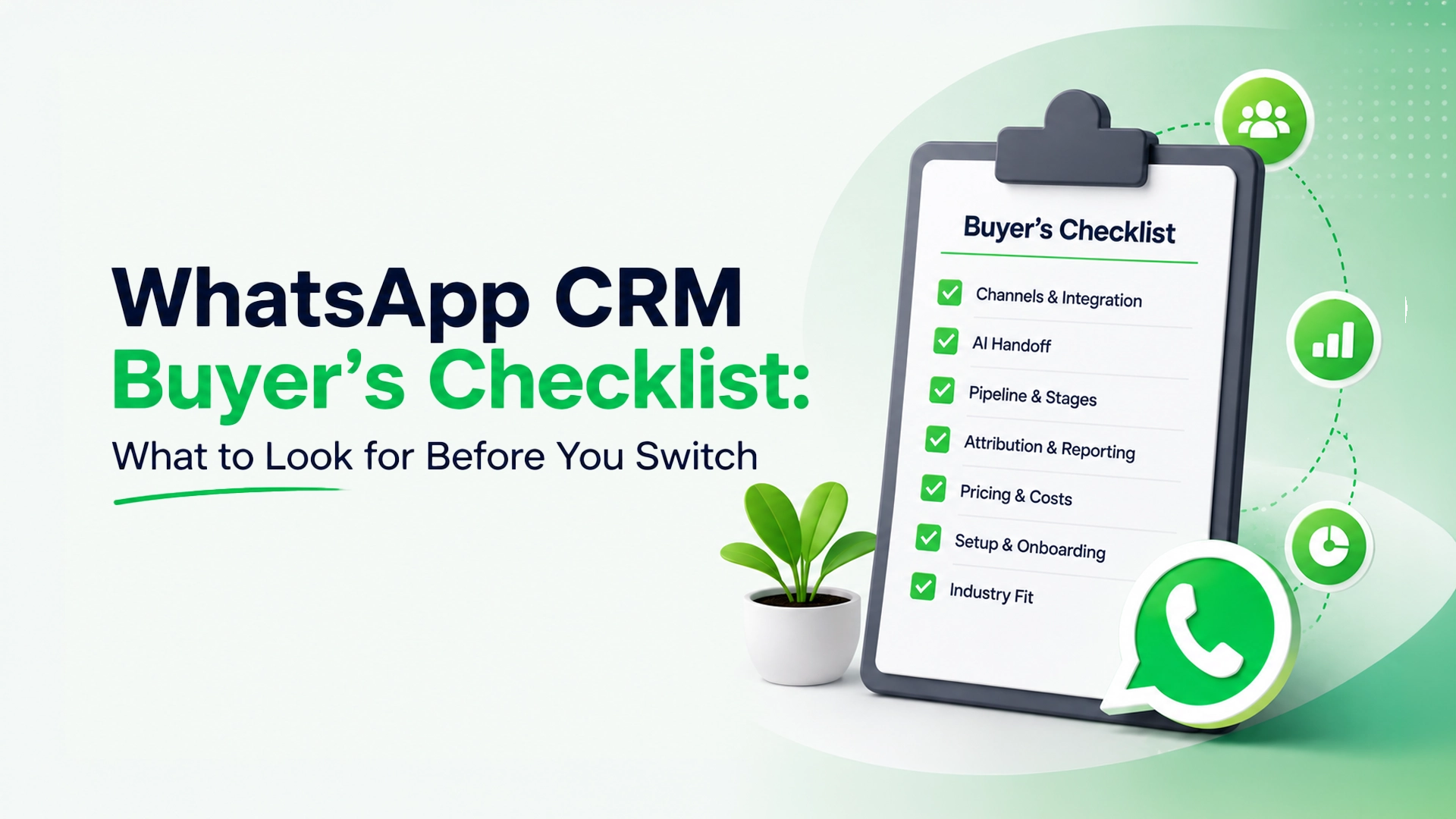
    This WhatsApp CRM buyer’s checklist covers seven questions worth asking before you switch.

    1. Which channels does it actually cover — not just advertise?

    WhatsApp is usually the anchor, but check whether Messenger, Instagram, TikTok, SMS, and email are genuinely integrated into the same inbox, or just listed on the pricing page as an add-on that needs separate setup. A tool that’s WhatsApp-only works fine until a lead messages you on Instagram instead — a scenario that happens constantly for businesses running ads on Meta’s platforms.

    2. Does the AI actually hand off to a human, or just loop?

    Almost every tool claims “AI automation” now. The real question is what happens when the AI hits a question it can’t answer. A good system hands off cleanly to a person with full conversation context and lets a human take over at any point. A weak one either loops the customer back to a menu or has no handoff at all, which is worse than no AI.

    3. Is there a real pipeline, or just tags?

    Tags tell you a lead’s status at a glance. A pipeline shows you where every lead sits in a process — new inquiry, qualified, negotiating, closed — and lets your team act on stalled deals instead of just labeling them. If your sales process has more than two steps, a tagging system alone won’t hold up.

    4. Can you see which ad or channel actually produced a sale?

    Plenty of tools track message volume. Fewer connect a completed sale or signed deal back to the specific ad, campaign, or channel that produced it. Without that, your ad budget optimizes for clicks and replies, not revenue.

    5. What’s the actual pricing model, and what’s excluded?

    WhatsApp CRM pricing is notoriously easy to misread. Look specifically for: per-user fees that scale awkwardly as your team grows, per-message or per-conversation charges layered on top of the base plan, and separate WhatsApp Business API costs that aren’t included in the headline price. A plan that looks cheap at 2 users can get expensive fast at 10.

    6. How long does setup actually take?

    Some platforms need a developer to configure webhooks and API connections before the first message can be sent. Others are usable within an afternoon. If you don’t have technical resources in-house, ask specifically about setup time before buying — not after.

    7. Does it fit your industry’s actual workflow?

    A tool built primarily for Shopify order confirmations will feel awkward for a real estate pipeline, and vice versa. Look for case studies or feature sets that match your specific use case — e-commerce, real estate, healthcare, or agencies managing several clients at once — rather than a generic “works for everyone” pitch.

    Common mistakes when choosing

    • Picking based on brand recognition alone. The best-known tool in the space isn’t automatically the best fit for your channel mix or budget.
    • Ignoring per-message costs during the trial. A free trial often waives usage-based fees that show up in the first real invoice.
    • Not testing the AI-to-human handoff before committing. This is the single feature most likely to frustrate customers if it’s done poorly, and it’s rarely obvious from a features page.
    • Choosing the cheapest plan and outgrowing it in months. It’s usually cheaper to pay slightly more up front for a system with room to grow than to migrate contact history and automations later.

    Frequently Asked Questions WhatsApp CRM Buyer’s Checklist

    Do I need a WhatsApp Business API account, or does the CRM handle that?

    It varies by provider — some include API setup in the price, others expect you to arrange it separately. Confirm this before signing up, since a missing API connection can stall onboarding by days.

    Is a cheaper, WhatsApp-only tool ever the right choice?

    Yes — if your leads genuinely only ever contact you on WhatsApp and you don’t run ads on Instagram or Facebook, a simpler, WhatsApp-first tool can be a reasonable, lower-cost fit.

    How important is the pipeline feature really?

    It depends on your sales cycle length. A same-day purchase decision (like most retail DMs) needs less pipeline structure than a multi-week decision (like real estate, B2B, or financial services), where tracking stage and follow-up matters far more.

    Leads Nimble covers all seven of these directly: WhatsApp, Messenger, Instagram, TikTok, SMS and email in one inbox, an AI assistant with a clean human handoff, a visual pipeline, ad attribution tied to actual conversions, transparent pricing, and same-day setup. See how it stacks up specifically against other platforms in our comparison of Leads Nimble, Kommo, Zoko, and Wati, or the full guide to why businesses lose leads in chat for industry-specific detail.

    Want to see it against your own checklist? Start a free trial — no card required, set up in minutes.
  • What Is Omnichannel Lead Management? A Plain Guide

    What Is Omnichannel Lead Management? A Plain Guide

    Omnichannel lead management means catching every customer conversation — WhatsApp, Messenger, Instagram, SMS, email in one place, instead of checking five separate apps and hoping nothing slips through. It’s the difference between a business that knows the moment someone reaches out, no matter which app they used, and one that finds out three days later that a lead went cold in an inbox nobody was watching.

    The term gets used loosely, so it’s worth being precise about what it actually involves — and what it doesn’t.

    What is omnichannel lead management, explained in plain terms
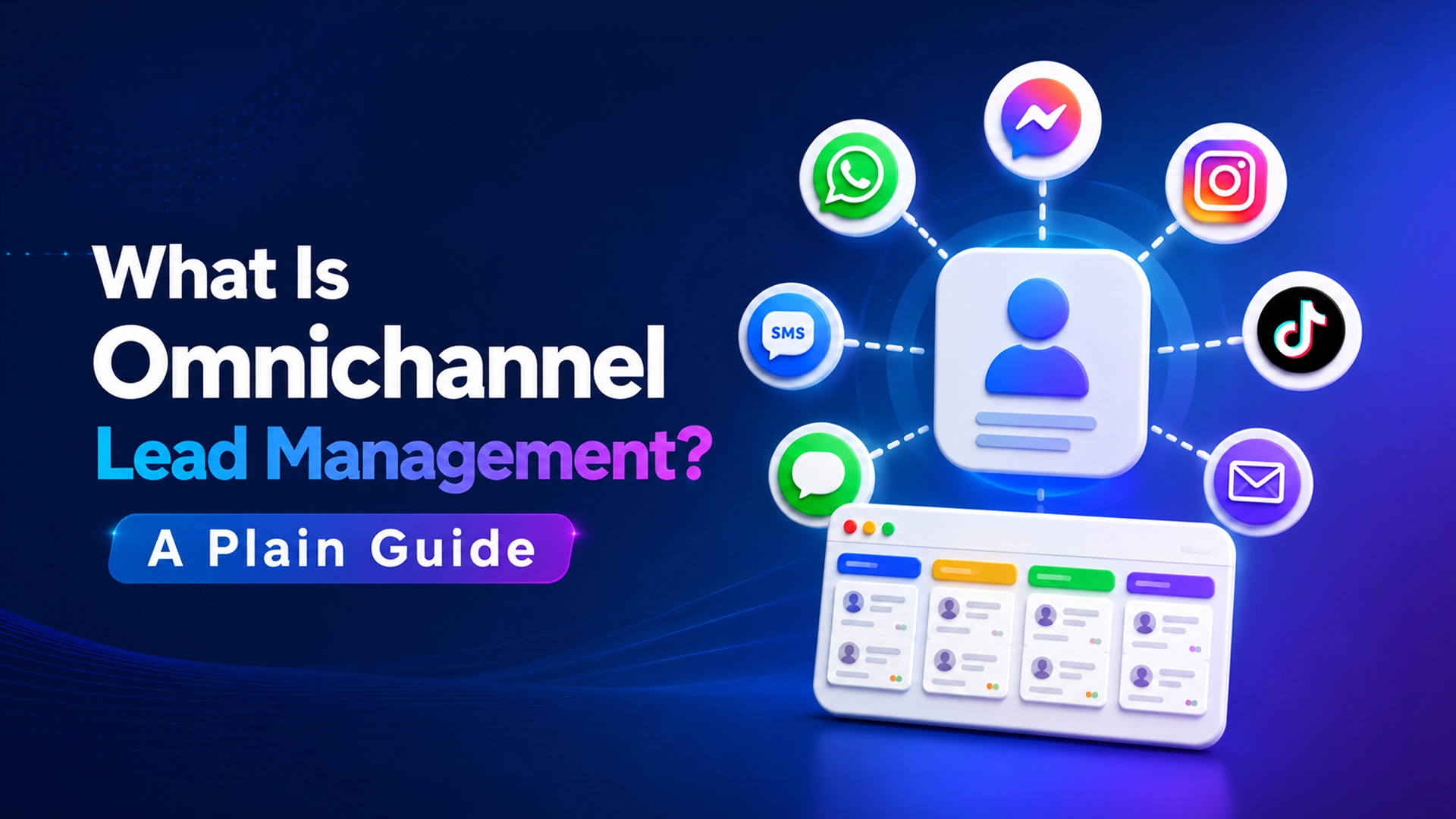
    Omnichannel lead management means one inbox and one history per customer, not five separate apps.

    What omnichannel lead management actually means

    It’s not the same as “multichannel.” A multichannel business has a Facebook Page, an Instagram account, and a WhatsApp number — three separate places customers can reach them, each checked separately, often by different people, with no shared record between them. Omnichannel means those three channels feed into one place, with one history per customer, regardless of which app they happened to message from.

    The practical test: if a customer messages you on Instagram today and follows up on WhatsApp tomorrow, does whoever answers the second message know about the first conversation? If yes, you have an omnichannel system. If no, you have several channels that happen to exist near each other.

    The core pieces of a real omnichannel lead management system

    1. A unified inbox. Every channel — WhatsApp, Messenger, Instagram, TikTok, SMS, email — lands in one threaded view, with the customer’s full history attached, so anyone on the team can pick up a conversation with context.
    2. An AI first responder, with a human handoff. Instant replies to the questions that repeat constantly — price, hours, availability — with a clean handoff to a person the moment the conversation needs real judgment, and a way for a human to take over at any point.
    3. A visual pipeline. Every conversation tagged by stage — new inquiry, qualified, negotiating, closed — so nothing depends on one person remembering where things stood.
    4. Broadcast and nurture tools. A way to re-engage people who went quiet, instead of losing them the moment they stop replying.
    5. Attribution. A line connecting the ad, campaign, or channel that brought the lead in, to whether it actually converted — not just how many clicks it got.

    Miss any one of these and the system tends to break down somewhere specific: no unified inbox means messages still get missed — research citing Salesforce found 90% of customers expect a reply to a social inquiry within ten minutes, while the average business takes over ten hours on Instagram alone; no AI-plus-handoff means either slow replies or a robotic chatbot that frustrates people; no pipeline means “who’s following up on this” becomes a guessing game; no attribution means marketing spend keeps flowing to whatever looks good on paper rather than what actually converts.

    Common omnichannel lead management misconceptions

    • “It’s just a chatbot.” A chatbot alone, with no human handoff and no pipeline behind it, tends to frustrate customers on anything beyond the simplest question. The AI piece only works well as part of a larger system.
    • “It’s the same as a help desk tool.” Help desk software is usually built for support tickets after a sale. Lead management is built for the conversation before a sale — qualifying, nurturing, and converting a prospect, not just resolving a complaint.
    • “More channels connected automatically means better coverage.” Connecting five channels to five separate inboxes that nobody consolidates doesn’t fix the underlying problem — it just adds more places for a message to get lost.

    Frequently asked questions

    Is omnichannel lead management only for large companies?

    No — the businesses that benefit most are often small teams, because they have the least slack to absorb a missed message. A single missed inquiry matters more to a five-person team than a five-hundred-person one.

    What’s the difference between omnichannel and multichannel?

    Multichannel means being present on several platforms, checked separately. Omnichannel means those platforms feed into one shared inbox and history, so no conversation depends on which app a customer happened to use.

    Do I need a human team if I have an AI assistant?

    Yes, for anything beyond routine questions. The AI’s job is to handle the repetitive first-contact questions instantly and hand off cleanly — not to replace a human for real qualifying conversations or judgment calls.

    How is this different across industries?

    The core system is the same, but the trigger and the stakes differ — see how it plays out specifically for real estate, healthcare, or e-commerce.

    Why this matters right now

    Customer communication has shifted from phone and email to chat across almost every industry we’ve looked at — see our full guide to why businesses lose leads in chat, by industry — and that shift means the old model of “check your inboxes throughout the day” no longer holds up against how fast a prospect’s attention moves on. If you’re comparing platforms for this, see our WhatsApp CRM buyer’s checklist.

    Leads Nimble is built around exactly this definition: one inbox across WhatsApp, Messenger, Instagram, TikTok, SMS and email, an AI assistant that responds instantly and hands off cleanly, a visual pipeline, broadcast tools, and ad attribution — the full omnichannel lead management system, not just one piece of it.

    Want to see what this looks like for your business? Start a free trial — no card required, set up in minutes.
  • Turn every conversation into revenue

    Turn every conversation into revenue

    To turn every conversation into revenue, you have to answer while the buyer is still paying attention. Most teams do not lose deals because they lack leads. They lose them because a message sat unanswered for six hours while the buyer moved on. This is a walkthrough of how to close that gap, in five steps you can run this week.

    Turn every conversation into revenue with one shared inbox and instant first replies
    Turn every conversation into revenue by shrinking the gap between question and answer.

    What this guide covers

    Why response time decides the deal

    Speed compounds. A reply inside five minutes is worth many times one sent an hour later, because you reach the buyer while intent is still high. The research behind this is worth reading in full: the original 2007 MIT/InsideSales study by Dr. James Oldroyd found roughly a 21x drop in qualification odds between a five-minute and a thirty-minute reply, and the shape of that curve has held up ever since.

    That is the whole mechanic. You do not turn every conversation into revenue by writing better messages; you do it by arriving before the buyer has moved on.

    • Every channel lands in one shared inbox
    • The first reply goes out automatically, in your voice
    • Nothing is assigned to “whoever notices first”

    We answered in four minutes instead of four hours, and our close rate moved before we changed anything else.

    Operations lead, home services

    Build the intake that lets you turn every conversation into revenue

    Start where the volume already is. Connect the two channels that produce the most conversations, then add the rest once routing is proven.

    Connect your channels

    Each channel keeps its own identity while sharing one queue, so a WhatsApp thread and a web form do not need separate playbooks.

    Route by intent, not by round-robin

    Tag on the way in. A pricing question and a support question should never share a queue.

    1. Detect intent from the first message
    2. Attach the matching playbook
    3. Escalate to a human on any pricing signal

    Automate the follow-up

    Most revenue hides in the second and third touch. Set the cadence once and let it run. Teams that turn every conversation into revenue rarely do it with a bigger sales team — they do it by making sure no thread quietly dies after the first message.

    when lead.created:
      reply within 60s using template "first_touch"
      if no_response after 1d: send "nudge_1"
      if no_response after 3d: notify owner

    Keep a human in the loop

    Automation should hand off cleanly. Anything it is unsure about goes to a person with the full thread attached, not a bare notification.

    Measure what matters

    Three numbers tell you whether the system works:

    Metric Target
    First response time under 5 min
    Follow-up coverage above 90%
    Reply-to-meeting rate trending up

    If coverage is high but meetings are flat, the problem is the message, not the cadence. Press G then I to jump to the inbox and read the actual replies.

    Where to start tomorrow

    Pick your highest-volume channel, set a single automatic first reply, and measure response time for one week. That one change is usually worth more than a full rebuild.

    The five steps, in order

    1. Consolidate. Point your two busiest channels at one shared inbox before you touch anything else. You cannot turn every conversation into revenue if half of them live in a personal phone.
    2. Answer instantly. One automatic first reply, in your voice, sent inside sixty seconds. It buys you the window the research says you need.
    3. Route by intent. Tag on the way in so pricing questions never sit behind support tickets.
    4. Follow up on a schedule. Two nudges, then an owner notification. Set it once.
    5. Read the replies. Coverage tells you the system ran; the replies tell you whether the message worked.

    What this looks like by industry

    The mechanics are the same everywhere, but the cost of a slow reply differs a lot by business model. A property enquiry and a clinic booking both decay within the hour, while a B2B thread can stall for a week before anyone notices it has gone quiet. We have written up the specifics for the industries where this bites hardest:

    Common mistakes

    Three patterns come up again and again. The first is rebuilding the whole stack before measuring anything teams spend a quarter on tooling and never learn what their actual first-response time was. The second is treating automation as a replacement for people rather than a way to hold the buyer’s attention until a person is free. The third is measuring volume instead of speed: a dashboard showing two thousand conversations a month tells you nothing about how many of them were answered in time.

    Fix the first reply, then the follow-up, then the routing. Do it in that order and you will turn every conversation into revenue faster than any rebuild would have managed.

    Ready to try it? See Leads Nimble pricing — free to start, no card required.

  • Why Businesses Lose Leads in Chat: A Guide by Industry

    Why Businesses Lose Leads in Chat: A Guide by Industry

    Here’s why businesses lose leads in chat, no matter the industry. Across every industry we’ve looked at, the same story repeats: a prospective customer reaches out on WhatsApp, Messenger, Instagram, or SMS, and the business that replies first not the cheapest, not the most established, not necessarily the best wins the business. The businesses losing leads aren’t losing them because their product is wrong. They’re losing them in the gap between “someone asked a question” and “someone with the answer saw it in time.”

    This guide pulls together what we’ve found looking at that problem across nine industries. Each one has its own version of the story, but the underlying fix is the same: a single inbox across every channel a customer might use, an AI assistant that responds instantly and hands off cleanly to a human, a shared pipeline so no lead depends on one person’s memory, and attribution that connects the ad or campaign to what actually converted.

    The research behind this is often cited loosely, so it’s worth being precise: the “5-minute rule” actually comes from two separate studies — a 2007 MIT/InsideSales analysis by Dr. James Oldroyd finding a 21x drop in qualification odds between a 5-minute and 30-minute response, and a related but distinct 2011 Harvard Business Review audit of 2,241 firms finding an average first-response time of 42 hours. The specific multipliers are dated, but the underlying shape — a sharp decay in the odds of ever engaging a lead within the first hour — has held up consistently since.

    Why businesses lose leads in chat across nine industries
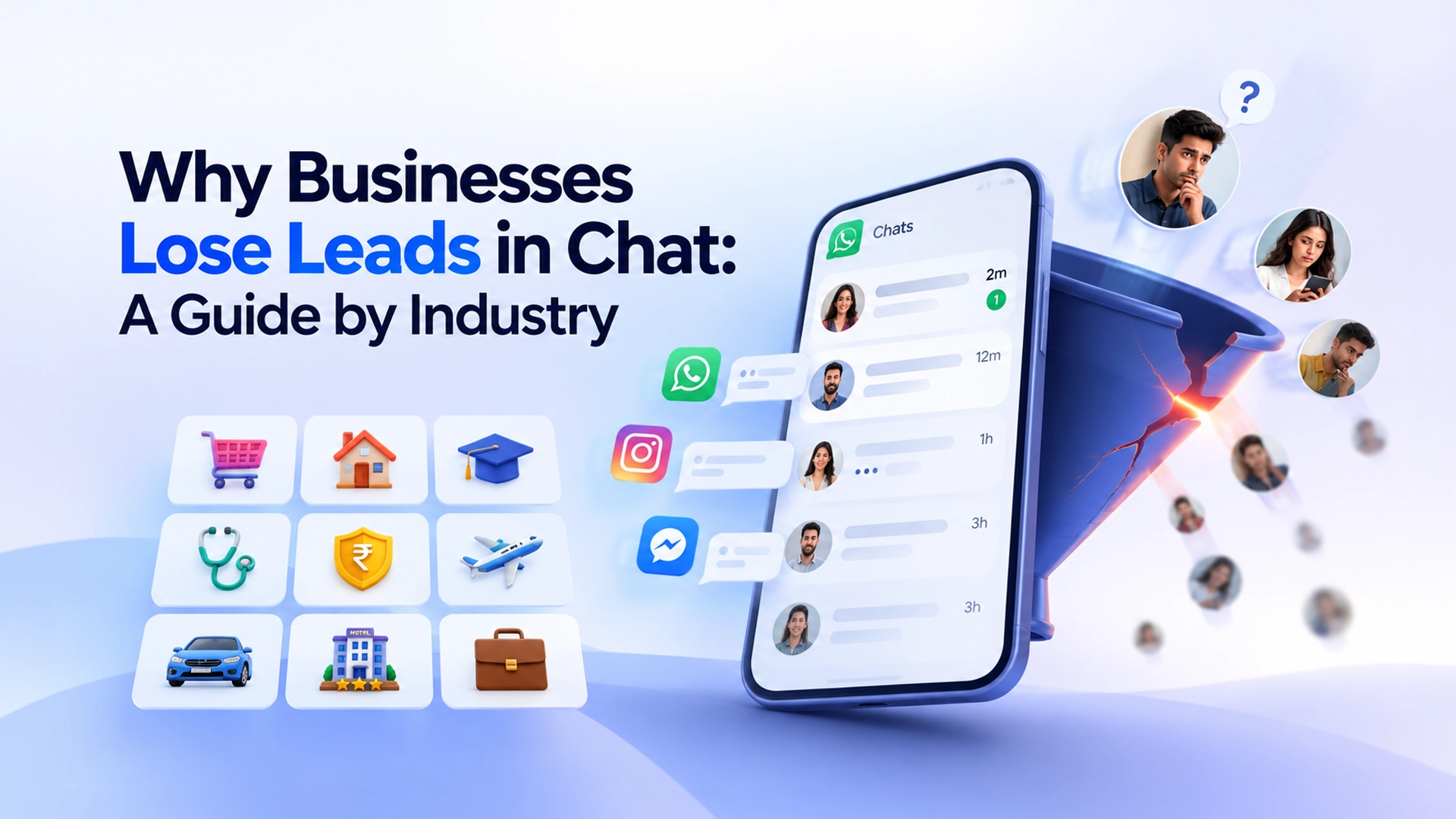
    Nine industries, one reason businesses lose leads in chat: the reply arrives too late.

    E-commerce & Retail: where businesses lose leads in chat fastest

    For online sellers running ads on Facebook and Instagram, the DM inbox has become the actual storefront — and a message left unread for a couple of hours is functionally identical to losing the sale. How to Stop Losing Sales in Facebook & Instagram DMs →

    Real Estate

    Property inquiries move fast, and buyers routinely message several agents at once. Response-time research consistently shows the fastest responder wins the client, regardless of experience or listing photos. Why Real Estate Leads Go Cold in WhatsApp and Messenger →

    Education & Coaching

    Course and coaching sales are decided in the DM, not the sales page — and the motivation that drives someone to message about a course fades fast if nobody answers. The Real Cost of a Slow Reply to Course Inquiries →

    Healthcare & Clinics

    Patients increasingly message clinics instead of calling, and faster reply times are linked to measurably lower no-show rates, not just more new-patient bookings. Why Patient Inquiries Go Cold in WhatsApp and Messenger →

    Financial Services (Loans & Insurance)

    Loan and insurance prospects are almost always comparison shopping several providers at once, and the same lead is often sold to multiple agents simultaneously — making speed the single biggest lever available. Qualifying Loan & Insurance Leads Without Losing Them →

    Agencies

    Agencies running lead gen for multiple clients face the same problem multiplied across every account — scattered logins, no shared visibility, and reporting that’s assembled by hand the night before a client call. Managing Leads for Multiple Clients Without 10 Logins →

    Travel & Hospitality

    Travelers expect a near-instant WhatsApp reply, and a slow response doesn’t just lose the inquiry — it usually sends the booking straight to an OTA, at a real commission cost. Why Hotel and Travel Inquiries Go Cold on WhatsApp →

    Automotive

    “Is this still available?” is the most common message a dealership gets, and Facebook Messenger’s 24-hour response window turns a slow reply into a permanently lost lead. Why Car Buyers Go Cold in Facebook and Instagram DMs →

    B2B

    In most of the world, WhatsApp isn’t a workaround for B2B sales — it’s the primary channel, and deals stall for the same reason consumer sales do: a follow-up that sat too long on one rep’s personal phone. Why B2B Deals Stall in WhatsApp Follow-Up →

    Why businesses lose leads in chat: the pattern behind all nine

    None of these are really nine different problems. Every business on this list will lose leads in chat for the same underlying reason, whatever it sells. They’re one problem — response time and channel fragmentation — showing up in nine different revenue models. The fix doesn’t change much between them: a unified inbox, an AI first responder with a clean human handoff, a shared pipeline, and attribution tying the source to the outcome that actually matters, whether that’s a signed lease, a closed policy, or a completed order. If you’re comparing tools to fix this, our WhatsApp CRM buyer’s checklist and platform comparison cover what to look for.

    Stop letting your business lose leads in chat. Want to see which of these fits you? Start a free trial — no card required, set up in minutes.